
Creating a development store to start Shopify theme development

This article is an introductory book by our company on Shopify, Hello Shopify Themes: A Guide to Shopify Theme Development Here's an excerpt from .
creation of a development store
Have you registered your Shopify partner?
If you haven’t, check out our previous article.
Getting Started With Shopify Theme Development: From Shopify Partner Registration to Developer Store Preparation
Once you’re ready, start by creating a development store.
Development Store Creation
Select “Add Store” from the “Store Management” section of your partner dashboard.
Select “Development Store” as the store type you want to build.
Next, enter the store name and password in your login information:The store URL is automatically generated based on the store name.
The store name can be changed later, but please note that the store URL of myshopify.
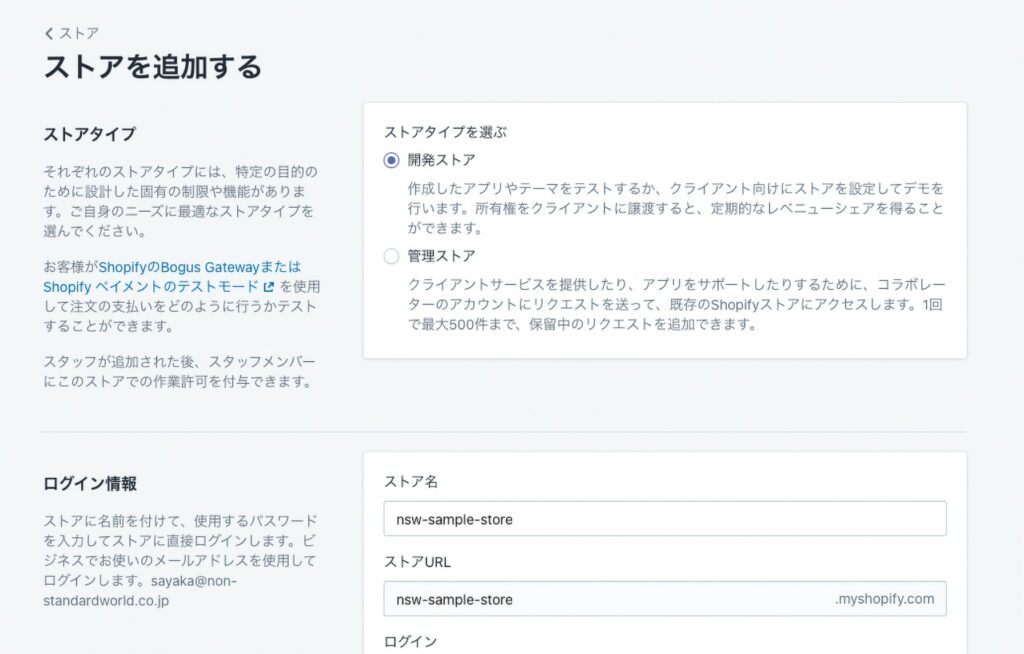
developer store creation screen
The “Developer Preview” should only be checked if you want to test the latest features before the official release.

Developer Preview Selections
I'll also enter the store address, which can be changed later.
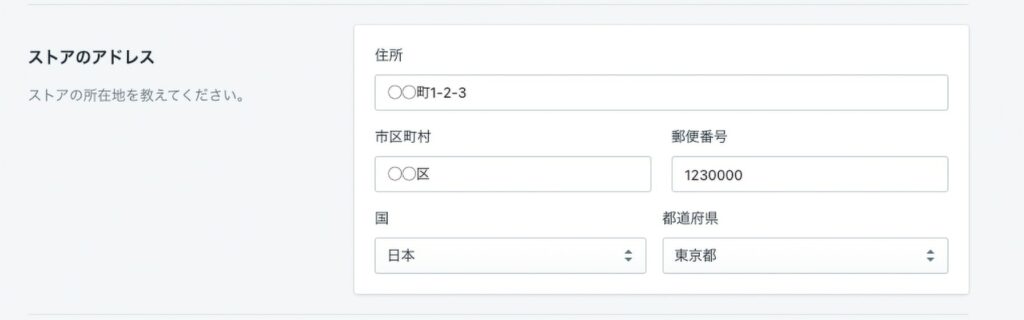
store address entry
Finally, select the purpose of your store and you’ll be done.
If it is a store that will be transferred to the client after development has been completed, choose "Building a new store for the client".

store's purpose selection item
Press the "Save" button to create a new development store.
Even though it is a development store, the functions and UI of the management screen are not different from normal stores.
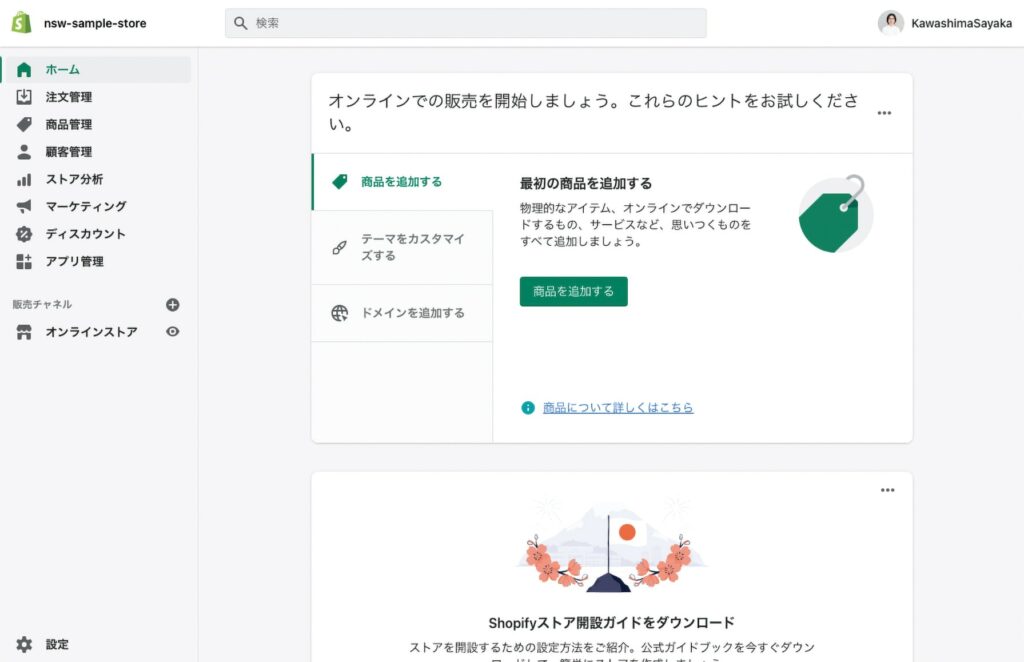
development store management screen
To develop more complex themes, it is also essential to understand the store functionality.
If you’re still unfamiliar with store features, try actually registering products and blog posts from various patterns or changing the look of a Dawn theme set up by default.
Click here to purchase the introductory book on Shopify theme development that we produced at our company.
We do not have any plans for printing after the sale at this time, so if you would like to read a printed book please pick us up as soon as possible.

- Author: Sayaka Kawashima
- Publishing: Non-standard world, Inc.
- Number of pages: B5, 248
- Price: 3,850 yen (tax included) * Packed with PDF version, free shipping