
The Shopify and Gatsby Headless Implementation: The Second Issue Before You Implement a Headless Commerce Site

This article is the second installment description of a headless commerce site.
first If you don't read it, please check here:)
Hello, I'm engineer Kawashima.
It has been about three weeks since the last commentary article, how are you all spending?
I’ve been working remotely since late March and writing this article from my home. Since I used to work remotely once a week, the work environment itself is well-organized but it can be hard to keep up with for more than two weeks... I think that a little chat in an office was quite useful for coding.
Now, in our previous article we’ve built an implementation environment for a headless commerce site.
In this article, we will explain the points that should be considered before the implementation starts. We also mention the web design of EC sites in a supplementary way.
When you fly through this process and enter into the implementation, there is a tendency to come back later or change direction so please get along with us, and we hope that engineers will also use it for communication with directors and designers.
Contents [ hidden display ]
Consideration before Headless Implementation
how far we can take advantage of existing features
as mentioned in Takasaki's article There are also disadvantages in building headless commerce.
on headless commerce sites Shopfy Storefront API In order to obtain and output data on Shopify, the limitation of API is limited by headless site as it is.
Shopify is actively updating its APIs, and while most of the information can be accessed via an API, it’s not all.
Especially when you revamp your existing Shopify site to headless, it’s hard to take advantage of the features that were previously used by third-party Shopify apps.
Most Shopify apps rely on Shopify’s theme structure, and only a few of them offer an API for headless use.
Let’s decide whether to implement the function that the app was carrying on itself with headless, or stop using it in this case based on development resources.
Developing Resources for Dynamic Features
Even with the standard Shopify-themed features, dynamic functionality (e. g. product search) is a bit more difficult to implement headlessly; in particular, Headless sites by Gatsby are JAMStack, static sites that exist on servers because they are static pages generated at build time, so it's necessary to dynamically change page rendering content according to user requirements.
For example, to implement search in Gatsby: use an API-based external search engine Alternatives are provided, for example.
However, if the number of products is small, the usefulness of the search function is limited.
In the case of a renewal from an existing Shopify site, rather than embedding all features into headless sites, you can analyze how much existing functionality is being used each time and remove less frequently used features from your headless requirements.
presence or absence of account management
You can also choose to manage your Shopify customer accounts, such as login features and My Pages.
Using the Shopify Storefront API, you can create or log in to your Shopify customer account from headless sites, but it’s more difficult to verify and implement.
(There are other options available in the Shopify Plus store)
In overseas cases, there seem to be not many stores that implement headless login features in their Shopify customer accounts.
https://paulnrogers.com/headless-shopify/
As an alternative, there is a way to combine Shopify themes with headless sites as mentioned in the article below.
https://www.getelevar.com/shopify/headless-shopify-learning-lessons/
We had to theme certain aspects of Shopify where transactional processes occur like Checkout and Account Management. It is possible to handle account creation, login, and checkout purely using the API, but this approach has two major downsides: 1: If you are using some Shopify apps that rely on the Shopify storefront to show data (like Swell does), then it likely makes more sense to keep the account management side of things on the Shopify storefront. 2: Adding account management (and maybe checkout) to the Gatsby side of things introduces personal information, such as names and addresses (and even card numbers if you decide to implement checkout completely custom), which we would rather leave to Shopify to handle and secure. This forced us to recreate a simplified footer and header in Shopify.
It’s a great way to make sure your browsing is headless, fast and secure with Shopify themes around My Page or Login.
(In the case of static site generation) the total number and scale of items in a store
We just mentioned that a static headless site built with Gatsby has been delivered with pre-built static pages.
As it is, even if a user purchases and sells out the product on Shopify, the display on the headless site does not change, so it looks like stock remains.
So to actually run Gatsby sites as a store, Shopify webhook Use is essential: if you set the headless site to be re-built by triggering a purchase or addition of an item, it will update your information up to date.
However, it is not real-time; there are time lags until the rebuild is complete.
Build times vary depending on the build server situation, but it may be better to keep in mind when you are a large store where frequent purchases occur.
it's our headless commerce site. yori.so In terms of product (3 items), Gatsby Cloud rebuild time is less than 1 minute, but in Netlify it takes about 5-7 minutes.
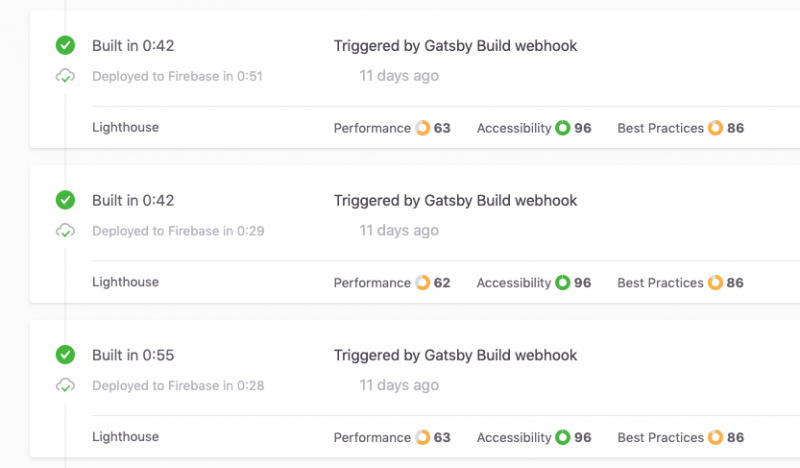
Gatsby Cloud Webhook Build and Deploy
In addition, if the total number of products and pages is huge, it takes a while to retrieve data at development time.. Especially when using the gatsby-source-shopify plugin, there may be a timeout error if you have more than 250 items.
decision on the page to implement
Considering these backgrounds, in this article sample we will implement the following page headless.
- top page
- product detail page
- cart page
- blog post detail page
- fixed page
- page 404.
You don’t have a product list, an article list or a search function; you build very simple headless commerce sites :)
All data used on the above page is assumed to be retrieved with Shopify Storefront API.
Headless Commerce Web Design
Once you’ve decided what pages and features to implement, drop them into your design.
In EC sites, there are more parts than ordinary websites such as conductors at the time of purchase and selection columns for product variations.
we've been working Free Wireframes for Building Shopify Themes Therefore, please use it as a reference for design.
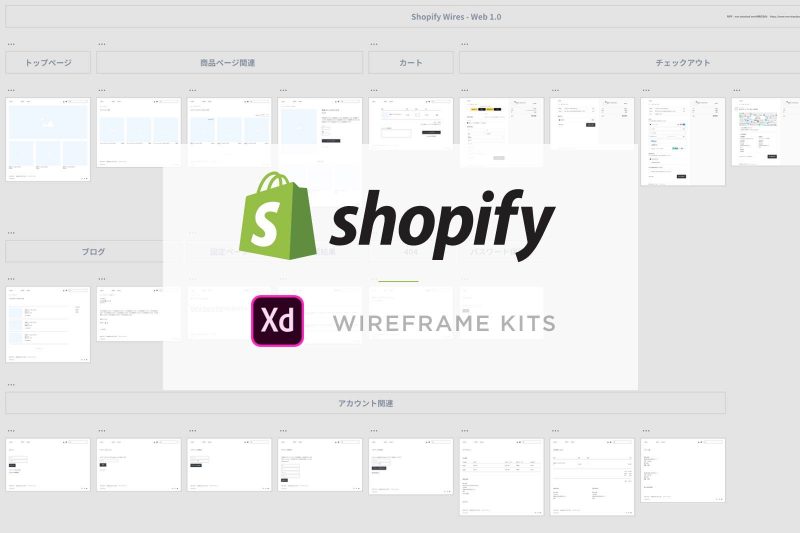
Use Storybook as a Style Guide
If there are many development members or if the designer is responsible for implementing HTML/CSS on Gatsby Storybook Also useful is the introduction of a UI Components management tool called ".
You can check the list of components on Gatsby from Storybook including state changes caused by user interaction, making it easy to communicate between designers and engineers.
In this article, please refer to the following articles if you are interested.
Visual Testing with Storybook
[Storybook] Introduction to UI Component Management Tools
When using Storybook with Gatsby, please note that there are many cases where additional plug-ins and settings are required.
Especially when using Gatsby-shopify-starter, the plugin introduced as a standard may interfere with Storybook and cause Build errors without coordination.
instead
Now, we’re finally ready to plan and design a headless implementation.
Next time we're going to implement it, I'll explain the internal structure of Gatsby-Shopify-Starter and also introduce useful plugins that you want to install additionally.
Addition 2021.3.4: Thank you for waiting! and we updated the third. :)