Turn designs directly into websites without coding: What the next-generation website builder STUDIO can do

Hi. I'm the engineer Kawashima.
When I work at a web production company every day, sometimes I hear consultations such as “I don’t have a budget but want to make a website”. IT implementation subsidy If it is difficult to add a mechanism that helps with the production funds, such as “Accompaniment” , we don’t have much to help us.
But in the last few years, tools have emerged that allow you to create websites without any expertise.
one of them is a homegrown website creation tool STUDIO In this article, I will introduce “I want to know more about it.
I couldn't ask a web production company, but if you want to create your own website...if you can help me:)
Contents [ hidden display ]
What is STUDIO?
STUDIO is a website creation tool that was officially released in April 2018. It has been officially introduced as “the next generation web design platform”. You can publish a STUDIO-designed screen as it is STUDIO runs in the browser, so you don’t have to install anything.
I’m usually the person who codes a website, but laughed at it.I actually touched it and found that design and publishing of websites was complete without writing any real lines of code.
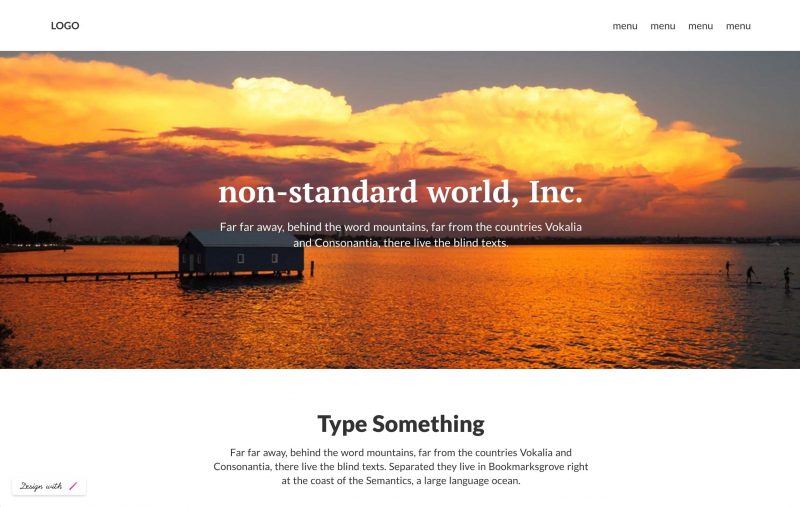
If it is a screen like the above, you can make in about 10 minutes.
More information about STUDIO's features is available here. official how-to guide See:)
What is convenient about STUDIO?
easy to understand design screen
Wix There are many other web site creation tools, but STUDIO shows how easy it is to see the design screen.
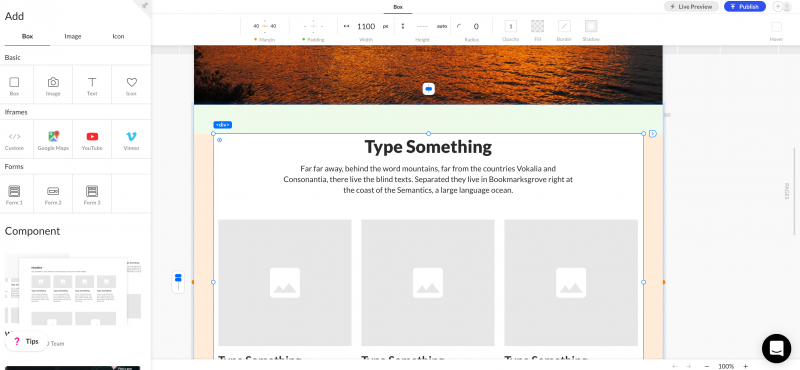
You can make changes while checking margins and text size in real time, or drag-and-drop to change the position and order of elements.
In addition, STUDIO Adopts Box Layout Method It is easy to create a unified screen.
can be made from zero or template
As of October 2018, there are 11 design templates in STUDIO.
If it’s hard to design a website from scratch, we recommend that you customize it based on the template.
Even if you make from blank paper without using a template, you can use various parts prepared in STUDIO such as "header", "footer", "block of tiled layout" and "parts of existing templates".
have a lot of free material
When creating a website, searching for photos and icon images is also quite difficult.
In that respect, STUDIO has a lot of free photo materials and icons, but you can also upload original images to use them.
have access to a form
Forms are also available in STUDIO, and the design of forms is provided with three patterns.
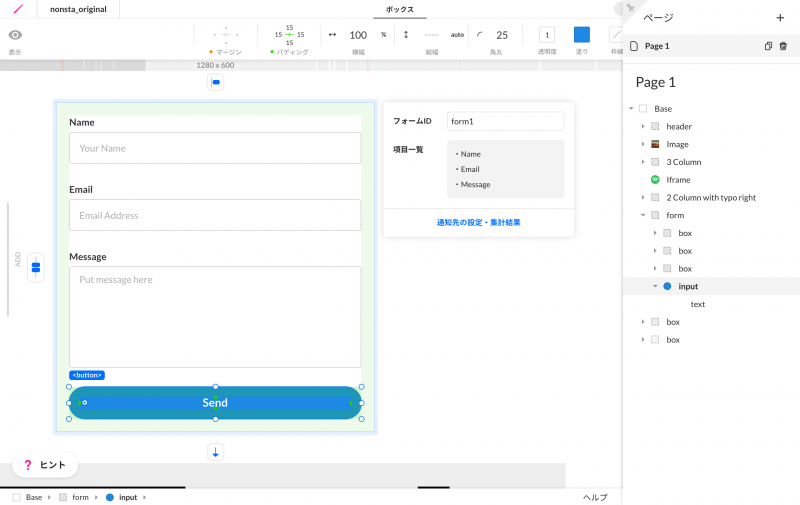
You can’t do complex customizations, but it is a useful feature when you want to receive small messages.
Notes on STUDIO
be made in English as standard
You can switch from your account settings in the dashboard to Japanese. (It took me a day to realize that I could change my language after I signed up on an English-language screen...)
have few font options
Google Fonts is used for the font of STUDIO. You can find the official website here. )
As of October 2018, most available fonts are Latin fonts, with only a few Japanese options. Standard Windows and Mac fonts, such as Yu Gothic, Yu Mincho, and Hiragino, cannot be selected.
In addition, it is not compatible for reading web fonts or uploading hand-held font files.
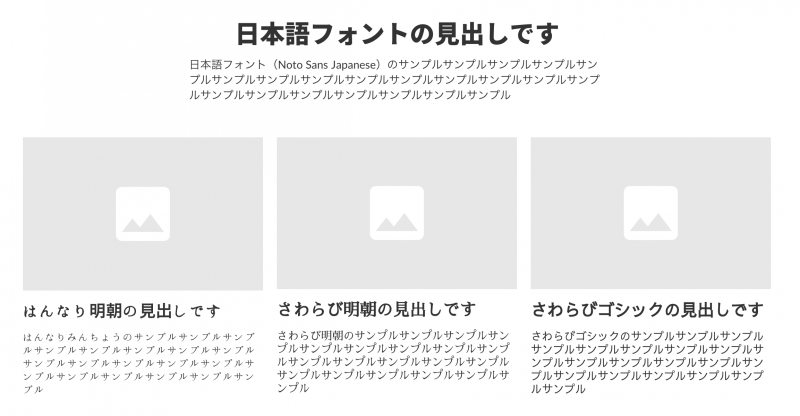
Below, I made a sample of headline and body text using some Japanese fonts that exist in STUDIO.
Noto Sans Japanese is good to use, and there are three types of fonts available: Hansei Ming, Kokoro Ming and Sagabi Ming.
can't do complex customizations
You cannot customize a website made with STUDIO outside of STUDIO.
For example, (as of October 2018) STUDIO cannot create an image slider but can not be used to create a slider separately and incorporate it into STUDIO.
It's a bit of an expert story, but STUDIO does not have the ability to directly edit website code (CSS or JavaScript) and you can't use script tags or jQuery.
If you want a website to have complex movements, or a design that is sticky, it’s better to consider other ways than the website creation tool.
* Modal window and hamburger menu can be made on STUDIO.
Blog functions (CMS) and online shop features are under development
Blogging and online shop features are currently under development.
Until then, we recommend that you combine external blog services and online shop creation services such as STORES/BASE.
Paid Domain and Extensions
In the case of a free plan, your website address will be "https://" (word you want to use).
If you want to use an address like “https://.com”, you’ll need to update to a STUDIO paid plan ($9 per month) and also get your own domain and set up yourself.
In addition, access analysis tools Google Analytics and Google Tag Manager are also limited to paid plans.
Summary
This time I touched STUDIO for the first time, and it left a very impression on the ease of view and design of the operation screen.
Website creation tools tend to be multi-functional and complex, but STUDIO is simple enough that you can create a website and publish it without hesitation on the way.It also makes it easy to make websites with a sense of unity by having certain rules in the layout.
In the past, when an individual wanted to create a website, he could either use the power of expensive specialized software or study and build his own technology. I think it was a good time for anyone to make websites on the Internet, free of charge...
That said, not only STUDIO but also website creation tools are not universal; there still remain areas where expertise is required such as design that leads to theoretically backed outcomes and user-friendly websites designs, improved maintainability, accessibility etc.
If you don't have a website creation tool, please contact us at Nonsta:)