Adobe XD from an engineer's perspective: Design Specs make coding easier

Hi. I'm the engineer Kawashima.
Recently, it has been attracting more and more attention as a design tool for web production. Adobe XD We also create wireframes and designs for websites in XD.
I am not involved in the design process, but since I started coding based on designs made by XD, the burden of implementation has been greatly reduced.
In this article, I would like to introduce the knowledge after XD introduction as an engineer who implements HTML & CSS on a website.
Contents [ hidden display ]
Change of Mounting Process by XD
Originally, we used Adobe Illustrator as our design tool.
The mounting process after the design is confirmed will be described below.
- Illustrator design file open (after staring at the startup screen for a few seconds)
- communicate with designers regarding design intentions, responsive adjustment and animation
- register each image in an asset panel and name, write, or compress it according to the terms
- Checking Illustrator's design content and coding Refer to the CSS panel and measure missing information such as margins every time.
- If there are any modifications to the design, you will have your latest files shared as needed.
We have implemented it based on Photoshop, but I think there was no significant difference from the above process.
The process after the introduction of XD has changed as follows.
- XD Design Files and Design Specification Sharing Links receive and open (impressed by the lightness at startup)
- To communicate with a designer about design intentions, responsive adjustment and animation.
- name, write out and compress each image on XD according to the rules)
- code while referring to design specifications in the browser Selecting an element will show you the information that is needed, so there's not much to measure here.
- If the design has been modified, you will be asked to update your design specifications.
The design specs make it much easier to implement the XD as designed, and because of its light weight, you’re not stressed when working in a MacBook environment.
Engineers Are Strongly Aided With Design Specs
We will introduce a little more about the "design specifications" mentioned in the above process.
The XD is often focused on prototype features that make it easy to create mockups, but design specs are also great—especially for engineers.
design specs?
Design specs are a feature being developed to improve the communication between designers and engineers, which is in beta as of June 2018 but is evolving rapidly with monthly updates.
When you access a shared link to the design specifications created by your designer, you can see the design specifications (the size of elements, distance, color codes, font properties and etc. )
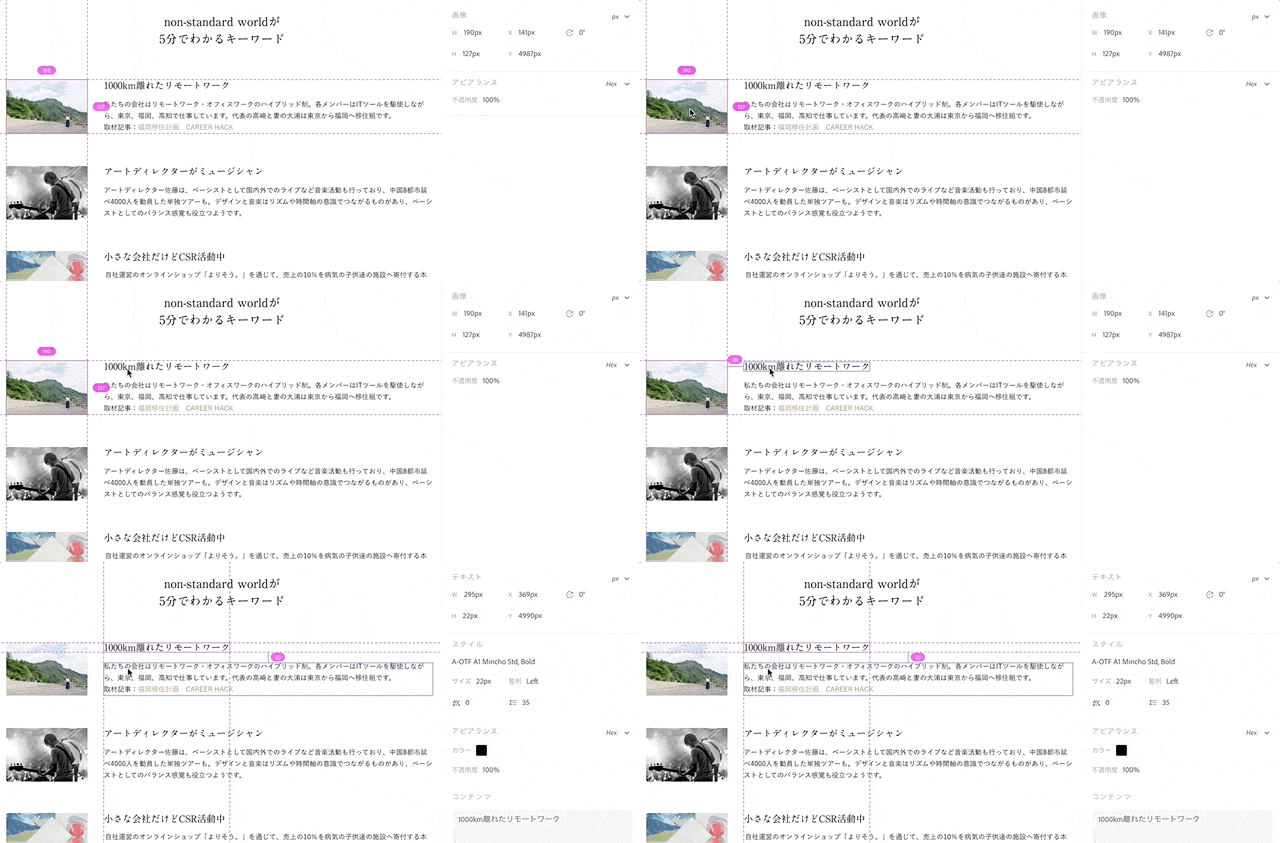
I still need to support XD files, because there are things that can’t be measured from time to time or it is not possible to write them out.But in the future this feature will be very promising and I am quite impressed with how much margin measurement between elements can be done at a single shot.
The official Adobe manual for the design spec is here.
something that embarrassed me as an engineer at the time of introduction
However, the XD has a very different feel than Photoshop and Illustrator, so at first there was some confusion: it's mostly about writing.
have a completely different writing style
The XD doesn’t have the “write-out asset panel” that Photoshop/Illustrator is familiar with, and I was a little confused because it used to use many assets panels for image writing.
As for the specific writing flow in XD, it is necessary to:
- (images consisting of multiple elements) are grouped together
- (If you want to write in SVG) convert text or object into path
- designate and select the image you want to write by layer (or add a batch writing mark)
- specify the type and resolution of an image to be written
At our company, we ask the designer to group images in units of writing and the implementation is responsible for the flow after that.
be somewhat confusing to set out
The setting screen at the time of writing, XD is also very different from Photoshop / Illustrator.
The writing settings used by our company are as follows.
▼ PNG

Write to the web, set size at 1x, and now you'll get a Retina-enabled 2x image (which is hard to figure out).
▼ SVG
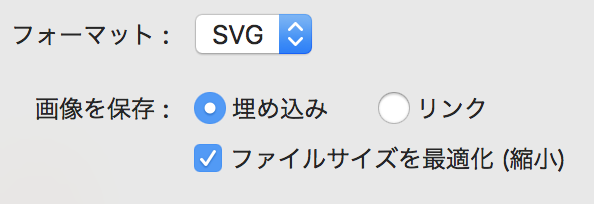
Don’t forget to convert objects and text into paths.
▼ JPG

Previously, JPG could not write out 2x, but it seems that it is possible to handle from around spring.
For more information about the specifications, please refer to Adobe official documentation.
Some font properties are hard to see.
Although it is small, as a thing that has trouble with the implementation of headline sentences ... Since XD does not show how many "kerning" and "line feed" values in text will be in CSS "letter-spacing" and "line-height", it is necessary to calculate on the implementer side. Illustrator can check by CSS panel so we hope this will be added in future updates.
At the moment, Abocode haha. Zeplin It may be one way to use extensibility tools such as .
instead
Eight months after the official release of XD, I’m still very savvy about working with XD.
If you’re familiar with the better implementation steps and tips, I would love to hear from them:)
May the design specification function be released soon!