
Publish a static website for free on Google's Firebase with a custom domain and HTTPS

Hello, I'm engineer Takasaki.
I tweeted on Twitter:
With Google’s Firebase cloud service, you can host your website to “a super fast environment with free, domain-specific, SSL certificates and a http/2 CDN.” You can also update it without having to upload files one by one using an FTP command. https://t.co/TqYUSFVmgd
Kenji TAKAZAKI/non-standard world (@nplusone) July 30, 2018
Since I received a lot of feedback unexpectedly, I would like to write an article on specific methods.
Contents [ hidden display ]
What is Firebase?

A cloud service provided by Google called serverless, which provides back-end functions such as user authentication and messages from infrastructure peripherals like servers or databases. This allows us to build web serviceswithout the need for infrastructure and backend development. 。
How to Build Web Services with Firebase here I wrote about it here, but the service is really useful for hosting static websites as well.
The benefits of using Google Firebase as a hosting server are:
- 1GB of storage and up to 10GB transfers are free
- It uses a communication method called http/2, so it's faster than normal http communication
- get an SSL certificate for free
- free to use one's own domain
- Free CDNs allow you to deliver static content fast
get Firebase ready
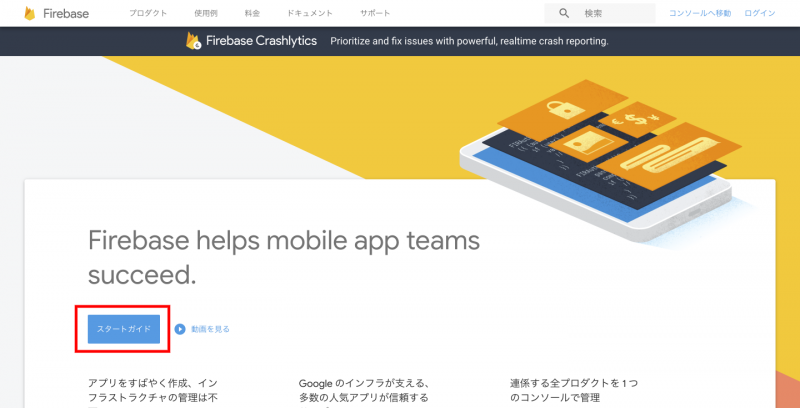
1.Firebase Click on "Stard Guide" in the red box.
Log in with your Google account.

Create a new project from adding red framed new projects.
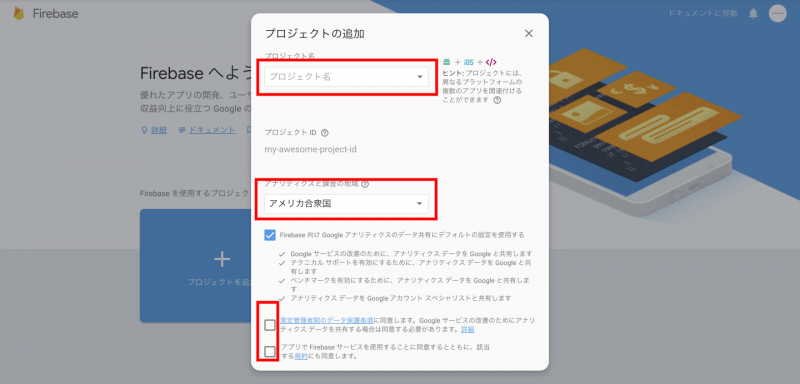
Enter your project name, select a country and agree to the terms.
The project will be created automatically in Firebase, and when you press next on the completion screen, it will automatically transition to the top page of the management screen.
Publishing a Project on Firebase
npm, a package manager (a system for managing various functions), you need to install Node.js in order to install NPM, so first of all it is necessary to install Node. here I install it as a reference.
Open the terminal or command prompt and install a package related to Firebase.
npm install -g firebase-tools If you get an error message that says * Missing write access to ~, here Please refer to the link below.
Enter the command you want to log into Firebase on your terminal.
firebase loginIn the first time, you will be asked by Google to share usage and error information.
? Allow Firebase to collect anonymous CLI usage and error reporting information? Since the authentication screen of your browser is displayed, log in.
Do the initial setting of Firebase hosting.
firebase init hostingYou will be asked to select the default project, so choose a project made with Firebase in the “Preparing Firebase” section and press Enter to decide.
? Select a default Firebase project for this directory: Since you will be asked the public directory, enter any value.
? What do you want to use as your public directory?Since you will be asked whether to publish it as a single-page application, press the enter.
? Configure as a single-page app (rewrite all urls to /index.html)? 10.You can automatically set up .firebaserc and firebase.
Put the file you want to publish in a folder set by 11.8.
Enter the following command in Terminal and publish it to Firebase.
firebase deploy13. Now you can publish it in production and access the URL displayed on your terminal (project name: firebaseapp.com).
set up one's own domain for a public project
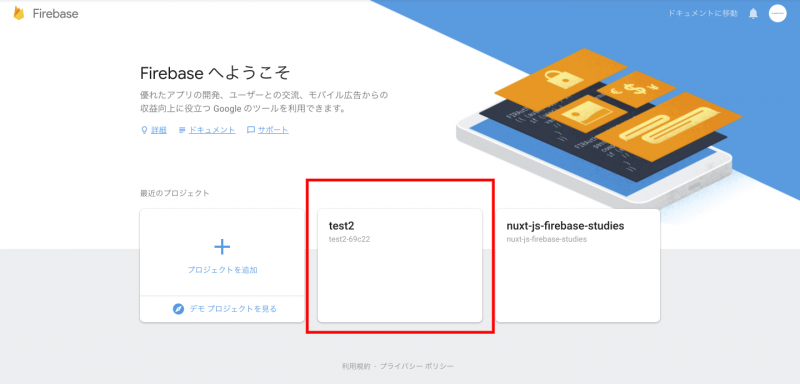
Log in to Firebase and select the project you want to set up your own domain.
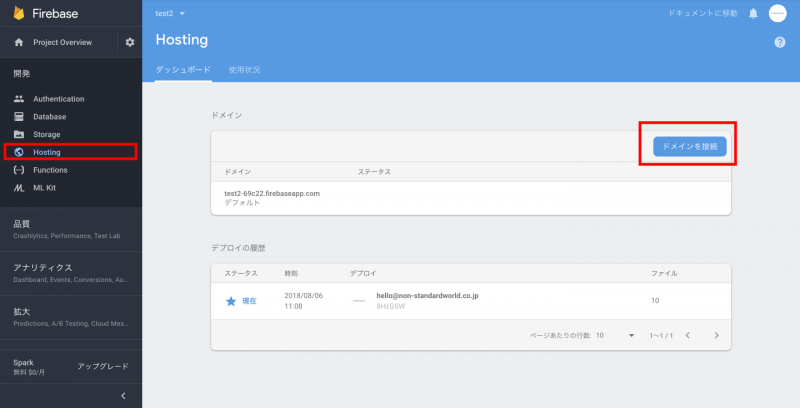
From Hosting, click “Connect Domain”.
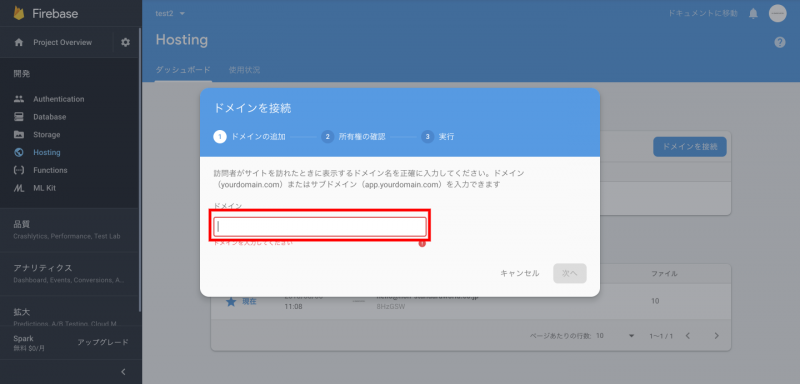
Enter the domain you want to set and click "Next".
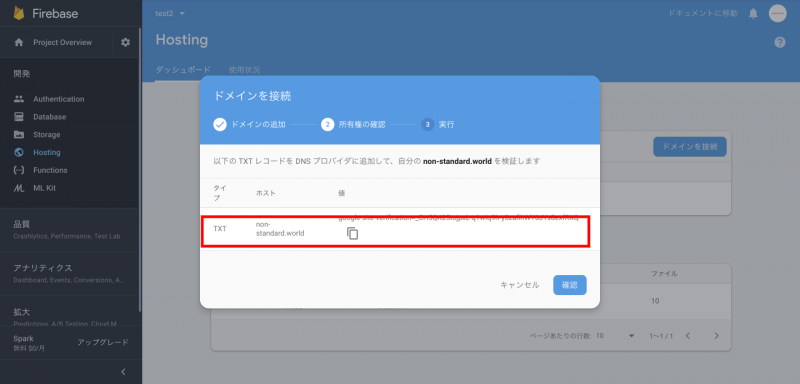
Set the TXT record displayed in your domain management service, and click “Confirm” after setting.
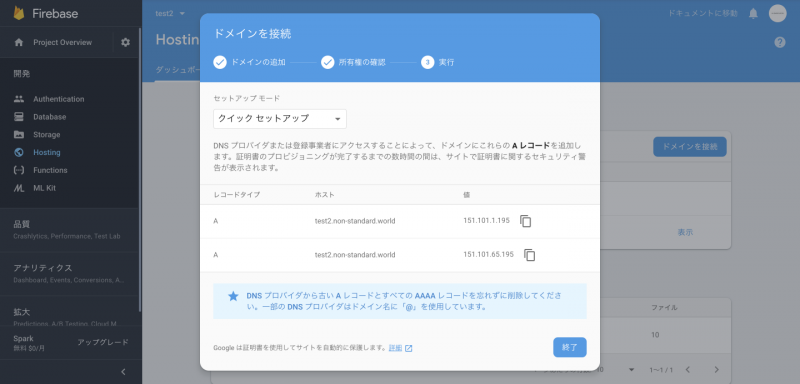
A record will be displayed, so this is also set in the service that you are managing domain and click next to complete it; after a while SSL certificates will be automatically set up and always SSL.
so, it's done. how was that? at our company How to Create Web Services Using Firebase Also, please check it out if you like!