
Publishing files created with the Jekyll static site generator on GitHub Pages


yesterday This is followed by static site generation.
We host static sites generated in yesterday's article using github pages.
What is github pages?
It is a service that can host ordinary html on the project management tool, distributed version control system github.
Since you can publish a site by pushing it on Git, it is very convenient for version control when developing the site with multiple people and saves the time to manually upload files that have been changed such as FTP.
How to make github pages
Here we talk on the assumption that you already have a user account.
1. Log in. new repository creation screen I'll get it out.
2.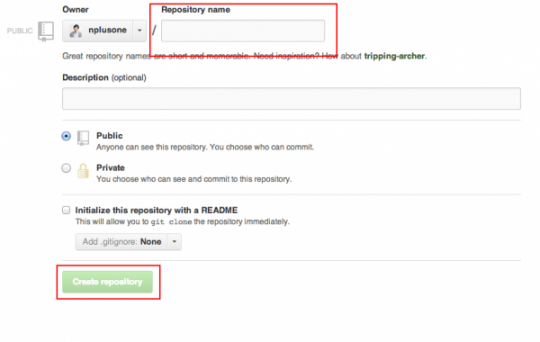
io in your repository name and launch a new public repository from Create repogitory.
Go back to your PC and open a static site folder using cd commands in the command line tool (terminal or command prompt).
Execute the following command and push statically generated sites in Jekyll to github pages.
[code]touch README.md git init git add . git commit -m "first commit" git remote origin github pages repository URL git push -u origin master[/code]
You can access the site by visiting your username: http://github.

That's why we got hosting on github pages. Again, this is a very simple process: you can version and publish your site at once with two birds in one stone! You may not be able to live without your ancestral reversal or a failure like you've ever published something that you don't want to publish yet! And again!