Saving data with Nuxt.js and Firebase Realtime Database

Hello, I'm engineer Takasaki.
Nuxt.js and Firebase to Create Simple Web Services first, set up. We implemented login authentication for the second time, but I would like to enter and save data in cooperation with Firebase’s Realtime Database for the third time.
Features of Firebase Realtime Database
Web services typically store data in a way that separates Excel cells, called relational databases.This Real Time Database is a configuration known as NoSQL which stores the data in one large storage location.
The advantage is that it’s fast and easy to scale, so the downside is that complex data is hard to handle.
store data in a database
last time It's a continuation.
This time, we will create a function to add new text with Google authentication.
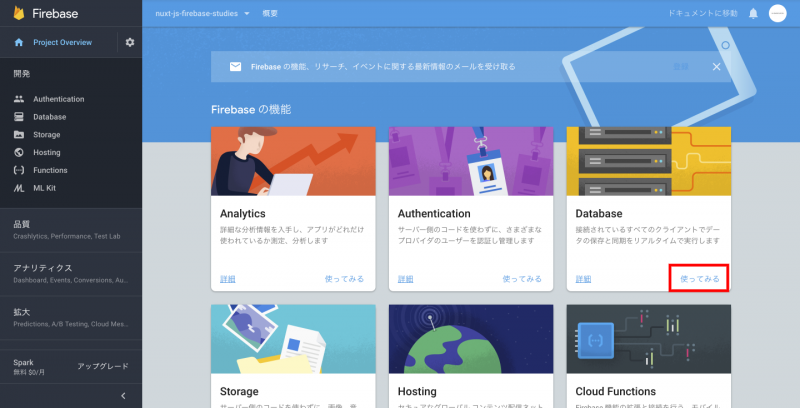
On the Firebase side, you’ll be prepared to use a database: Log in to your Firebase console and log into it, select your project, then click “Use” on the Realtime Database.
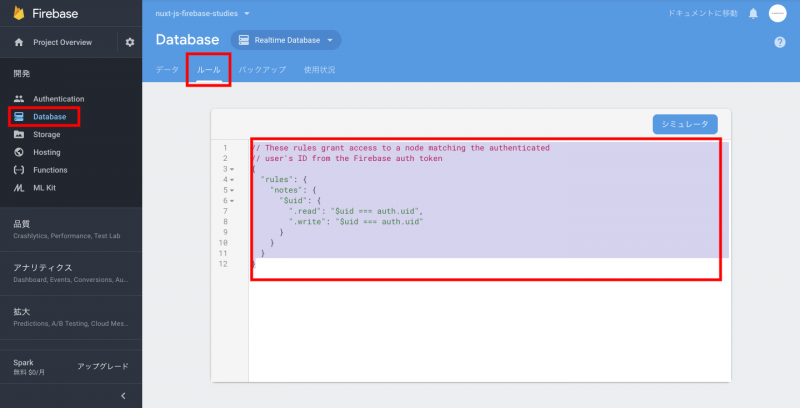
Click on “Rules” to set rules for database security, here we will store the data under the name notes and set the following rules so that only logged-in users can read or write:
Go back to Nuxt project, and this time open /components/Mypage.vue so that you can add and save text on the screen after logging in.
First of all, you can save the text area in line 4 and Hello, below {{user.
Inside the script, props: prepare a variable under ['user'] that will be the receiver of data in your text area.
The v-model="note_content" set to this variable note_content and textrea is linked, and the contents entered in the text area are stored in note_content.
Next, add a function associated with the button, saveContent under line 22 and below the logout function.
The completed Mypage.vue will look like this:
Expand the project folder in your terminal and type the following commands:
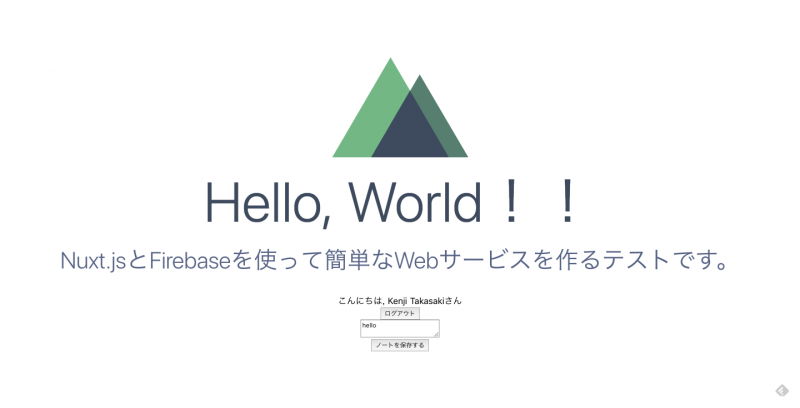
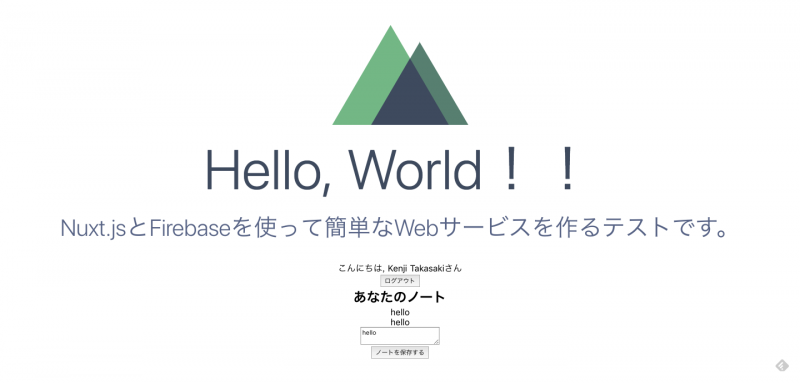
npm run dev After logging in, the screen looks like this:You type something into a text area and press Save to store your data in Firebase’s database.
You can check the information stored in your database from Firebase’s console.
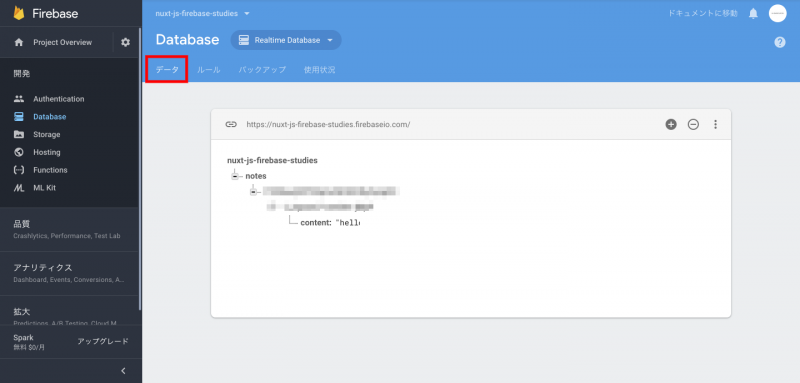
This completes writing to the database, and I'd like to read information that has been written into it.
read data from a database
Line 1.17: Create a variable that stores the data read from Firebase called notes where you want to define variables.
Line 2.19 adds a function to read data from Firebase and store it in the variable notes when loading pages.
Add the code to line 5 for extracting and displaying values in a for loop of data stored in notes:v-for allows you to rotate the for loop on Vue template.
The completed Mypage.vue will be as follows:
5.You can see how it was confirmed in the browser as follows, and you can see that the information entered is displayed.
Go back to the terminal and build your Nuxt.js project.
npm run buildGo back to your terminal and enter the command you want Firebase to publish in production.
firebase deployNow we have a live release on Firebase!
We also posted this code on our GitHub, so if you have any questions here Please also refer to.
js and Firebase, we’ve sent you all three of the basics for creating a web service: build your environment, authenticate your login, create/read data!
Thank you very much for reading this article, and I hope that we can help those who are trying to build a web service.