Building a simple web service with Nuxt.js and Firebase — Getting started

Hi, I'm engineer Takasaki.
Suddenly I wish we could make Web services more easy. Have you ever thought about it?
- We Want to Make Moving Prototypes To Confirm Demand Before Investing in Building Web Services
- I don't have the budget to make a full scratch, but I want to add some limited membership features on my website.
There are many of our clients who have such problems, and as a result of the survey, the optimal solution for such cases is ". Nuxt.js and the frontend framework, Firebase It was a combination of Google’s cloud services.
js and using Firebase to create a simple web service, I'd like to send you how to build a web service that takes easy notes with your hands on.
Contents [ hidden display ]
What is Nuxt.
SPA* framework based on Vue.js, a front-end framework that adds features such as “PWA,” Google’s approach to speeding up websites, and server-side rendering, which is used for rendering pages faster than in the browser. note It is planned to be adopted by Mr.
* Abbreviation for single-page application when creating a web service, this allows you to cut data and design into pieces so that you can easily reuse the parts of your website.
What is Firebase?
Google’s cloud services, called serverless, offer backend features such as user authentication and messaging from infrastructure-like functions like servers or databases to Rails, Laravel, Express.js without having to use the frameworkto build around infrastructure or backends, You can create web services. Of course, Google will also do some troublesome server maintenance and system updates. 。
with regard to the features offered here for more information.
Getting Ready for Nuxt.js
npm, a package manager (a system for managing various functions), you need to install Node.js in order to install NPM, so first of all it is necessary to install Node. here I install it as a reference.
On the Mac, open a terminal and Windows command prompt to install vue.js
npm install -g vue-cli If you get an error message that says * Missing write access to ~, here Please refer to the link below.
* If you already have vue-cli installed, this is not necessary.
js template, leaving the terminal or command prompt open.
vue init nuxt-community/starter-template project-nameReplace the project name part of the above code with your own project name, and if it comes out as a project name in subsequent code I hope that all will be replaced by my project's name.
? Project name (project-name) If the project name is good for that, press Enter.
Next:
? Project description (Nuxt.js project)Then, you will be asked to explain the project so enter and press Enter.
? Author (Kenji Takasaki ) Enter the author name.
cd project-nameand expand the folder
npm installInsul the related package.
npm run dev A local development machine will be launched.
The great thing about this development machine You don't have to manually reload your browser because it automatically reloads when you make any changes in code. That's great!
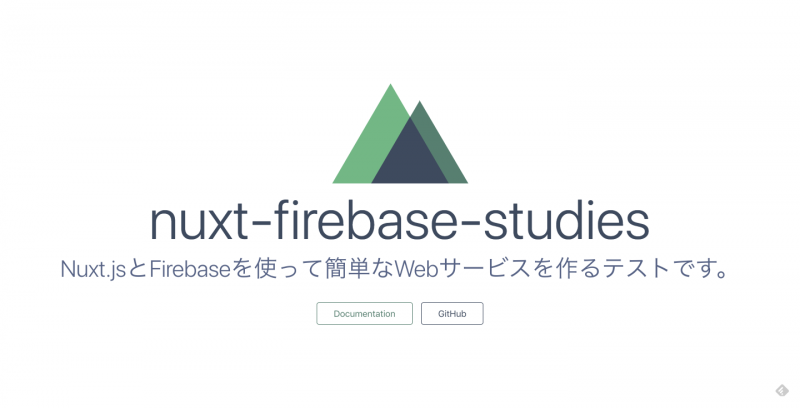
http://localhost:3000 If you access the following screen, setup is complete.
we're going to file it again. on our GitHub. So, please refer to if you have a point that you do not understand.
get Firebase ready
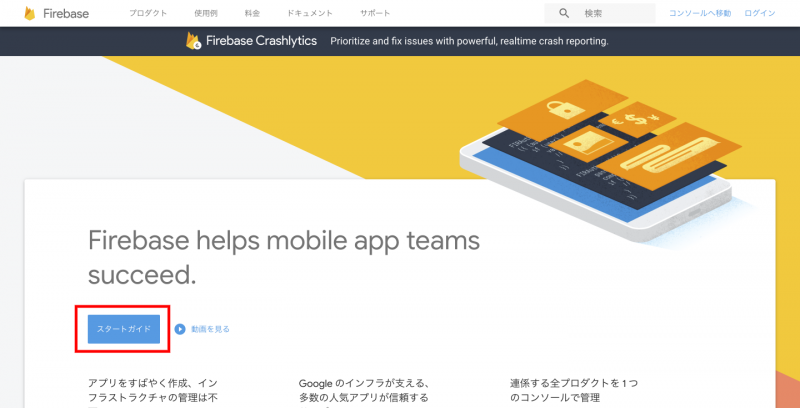
1.Firebase Click on "Stard Guide" in the red box.
Log in with your Google account.
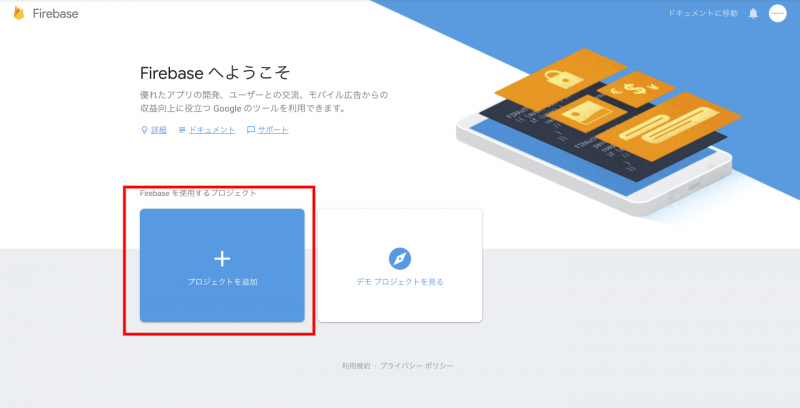
Create a new project from adding red framed new projects.
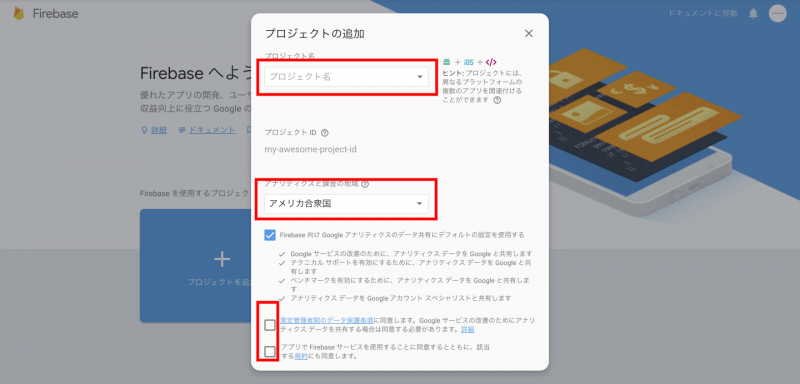
Enter your project name, select a country and agree to the terms.
The project will be created automatically in Firebase, and when you press next on the completion screen, it will automatically transition to the top page of the management screen.
Publishing a Project on Firebase
Open the terminal and deploy Nuxt.js project.
cd プロジェクトフォルダまでのパスInstall the package related to Firebase.
npm install -g firebase-toolsEnter the command you want to log into Firebase on your terminal.
firebase loginIn the first time, you will be asked by Google to share usage and error information.
? Allow Firebase to collect anonymous CLI usage and error reporting information? Since the authentication screen of your browser is displayed, log in.
Do the initial setting of Firebase hosting.
firebase init hostingYou will be asked to select the default project, so choose a project made with Firebase in the “Preparing for Firebase” section and press Enter to decide.
? Select a default Firebase project for this directory: Since you will be asked a public directory, enter dist.
? What do you want to use as your public directory?Since you will be asked whether to publish it as a single-page application, press the enter.
? Configure as a single-page app (rewrite all urls to /index.html)? 10.You can automatically set up .firebaserc and firebase.
Delete the dist folder directly below the project folder that was automatically generated by Firebase once.
Going back to the project folder in 12.Nuxt.js and opening nuxt.config.js directly under the project folder, line 2
mode: 'spa',
It describes the setting to run as a single-page application.
Go back to the terminal and build your Nuxt.js project.
npm run buildGo back to your terminal and enter the command you want Firebase to publish in production.
firebase deployYou can now publish it in production, and if you access the URL displayed on your terminal (project name.com), I think that an app running locally is running as well.
I've uploaded this file to our Github. If you don't know, here Please also refer to.
Now the preparation has been completed. next time Now implement login authentication.
< go on >
Correction of August 7, 2018
* I removed it because the following steps in “Publish a project to Firebase” at the time of first appearance were fine without needing.
14.
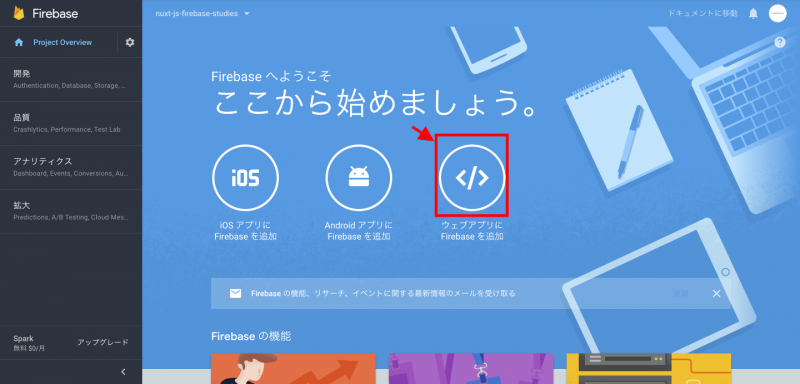
Copy the embed code displayed by clicking on a red frame at the top of Firebase management screen.
js project folder and paste the embed code before the binding tag of /dist/index.html head tag to save it.
* The API key is hidden, and please be careful not to publish it incorrectly because this API key can be exploited.