An introduction to the structure of Shopify themes and the role of each file

This article is an introductory book by our company on Shopify, Hello Shopify Themes: A Guide to Shopify Theme Development Here's an excerpt from .
Hi. I'm engineer Kawashima. GW, you passed away in no time... (laughs).
An introductory book on Shopify Theme Development, which I wrote. Hello Shopify Themes: A Guide to Shopify Theme Development It's been two weeks since the sale of "Thank you very much for reading your comments.
Contents [ hidden display ]
1-2. Theme Structure
In this section, we will explain what theme files the Shopify page consists of.
The following is a capture image of the product detail page sample.
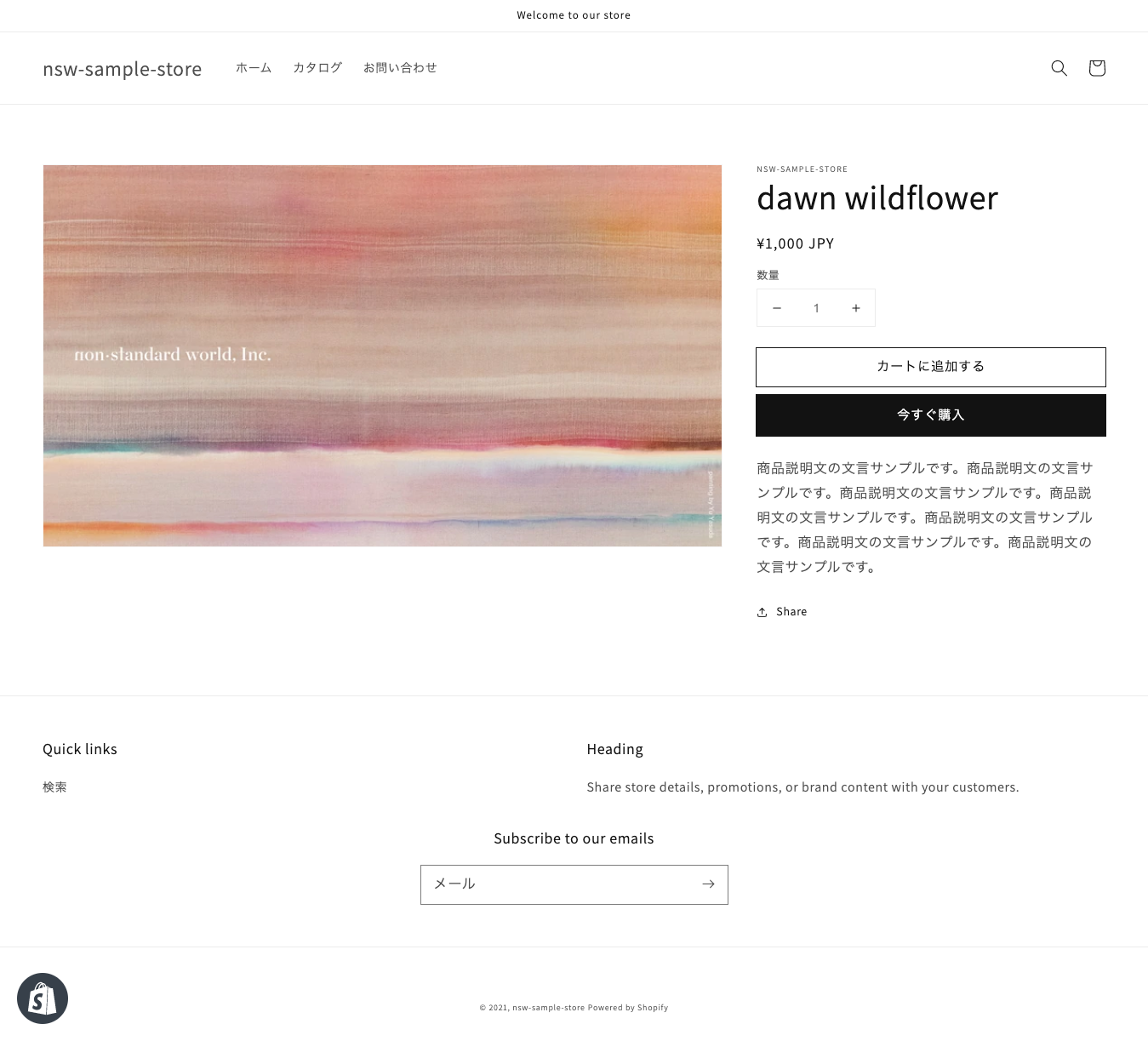
Example of product detail page
This page is composed of the following files:
- Layout file |
layout/theme.liquid - Template files for product pages |
templates/product.json - Section Files |
sections/header.liquidhaha.sections/main-product.liquidetc. - Snippet files |
snippets/product-media.liquidhaha.snippets/product-thumbnail.liquidetc. - Static files such as images, CSS and JavaScript |
assets/base.cssetc. - Store-wide configuration files |
config/settings_data.jsonetc. - Files for translation |
locales/ja.jsonetc.
Although it depends on the creation of a theme, for Dawn themes, about 15 Liquid files are used in general product pages.
role of a theme file
Each file in the theme can be classified into seven by role.
The next 7 categories are extremely important for the development of themes, so please understand them before proceeding.
1. Layout files
Liquid file that is responsible for the entire theme.
<head> In addition to being the destination of the tag, it can also be a parent file that reads common elements throughout the store such as headers and footers.
2. Template files
This file is responsible for displaying products, blogs and collections by page type.
Liquid or JSON are available as file types.
3. Section File
Liquid file that can define a link to the theme editor.
Various settings are available from the theme editor based on descriptions in section files.
4. Snippet files
A Liquid file that contains a code snippet.
The code used repeatedly in the theme is summarized and read into other files.
5. Asset files
It refers to static files such as images, CSS and JavaScript.
6. Configur files
It is a JSON file that defines the configurable information from "Theme Settings" of the theme editor and stores the entered value.
Parts of the section file's theme editor input are also kept here.
settings_data.json and settings_schema.json There are two types.
7. Locale files
It is a file that deals with translation of language in the theme.
You can't customize your own files that are out of the above 7 segments, or have an existing file play a different role.
nested relation of the theme file
Layout files, template files, locale files and config files only exist within the theme folders but they will not be displayed unless you explicitly read a section file, snippet file or asset.
In addition, you need to follow certain hierarchical structure rules rather than being able to read any file that you like anywhere; it is easy to understand when you imagine nested files.
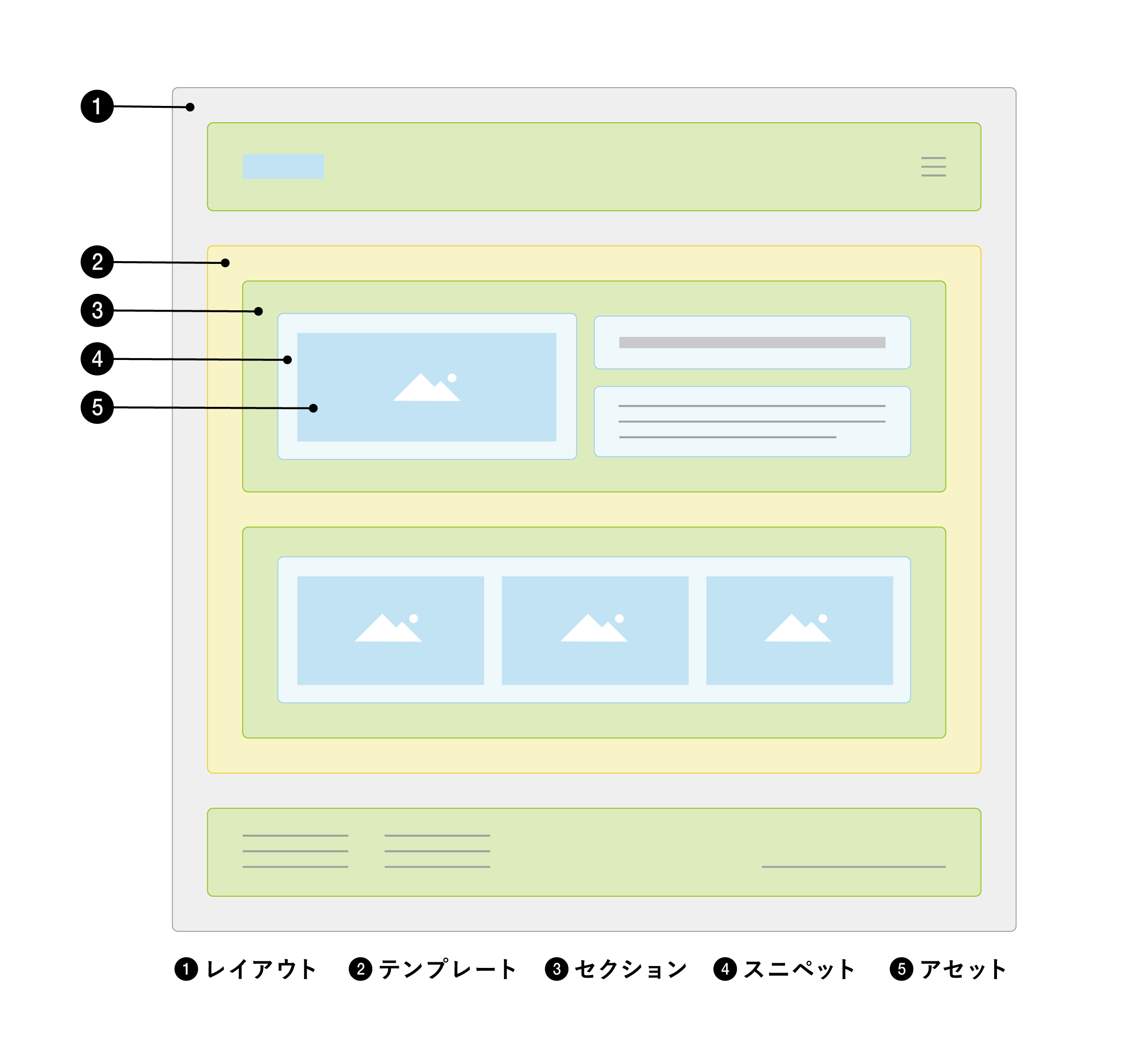
Reading rules for each file *Please scroll sideways if you are a smartphone.
| file segmentation | Characteristics | readable file |
|---|---|---|
| layout file | store-wide infrastructure | section-file snippet file asset |
| template file | page-by-page display | a snippet file asset file (additionally, if the file type is Liquid) |
| section file | Relations to the theme editor | snippet file asset |
| snippet file | code snippet | snippet file asset |
When developing, make sure you understand the characteristics of each file and use the appropriate files.
thematic directory structure
Another specific aspect of the Shopify theme is its directory structure.
The theme needs to follow the following directory structure and cannot be customized such as adding or renaming folders.
└── theme
    ├── assets
    ├── config
    ├── layout
    ├── locales
    ├── sections
    ├── snippets
    └── templates
        └── customers
The essential files for the theme layout/theme.liquid only because of snippets It doesn't matter if you omit a part of the directory, but it does create your own subdirectories (see below). assets/images If you’re used to WordPress theme development, it might be a bit confusing.
If you look at the directory name here, you can see that it matches the file type described in "Theme File's Role". layout In the directory, template files templates It is stored in the directory.
5/16 Addendum: The third free release, 1-3. Water Guide to Theme File" part has been released !
The purchase of this book is accepted from the special feature page here.
We do not have any plans for printing after the sale at this time, so if you would like to read a printed book please pick us up as soon as possible.
- Author: Sayaka Kawashima
- Publishing: Non-standard world, Inc.
- Number of pages: B5, 248
- Price: 3,850 yen (tax included) * Packed with PDF version, free shipping