
Shopify from a designer's perspective: The possibilities and considerations of design customization

Hello, I am art director Sato.
Shopify is the world’s largest e-commerce site creation platform.
It also supports multilingual and multiple currencies, and its introduction in Japan is spreading and attracting attention.
Shopify is an excellent platform with high design customization, even from a designer perspective.
So today, I want to summarize Shopify’s design customization.
* This article is an explanation of the simple customization of a pre-made theme, and please see also below for full-fledged customization procedures with code editing.
- Getting Started With Shopify Theme Customization
- Shopify theme structure explained: The role of each directory and file
See below to learn how to use Shogun, a content builder app that allows you to create intuitive pages without any code editing.
Contents [ hidden display ]
Shopify Features: Separation of Design and Content
I've built it using various e-commerce site production platforms so far.
Compared to other services, Shopify is designed to be reasonable and simple in a good way.
especially because there is a clear separation between design and content
and that's what makes them better at customizing their designs
I think that designers with experience in designing WordPress themes will be able to understand the structure of the theme and design it as soon as they touch a little.
range that can be customized without code editing
And with partial design customization,
You can choose your favorite theme and customize it without any code editing.
Main design elements that can be customized without code editing
- logo image setting
- Color specification for background, text and buttons
- Headline / body font, font size specified
- display/hidden element
customization procedure
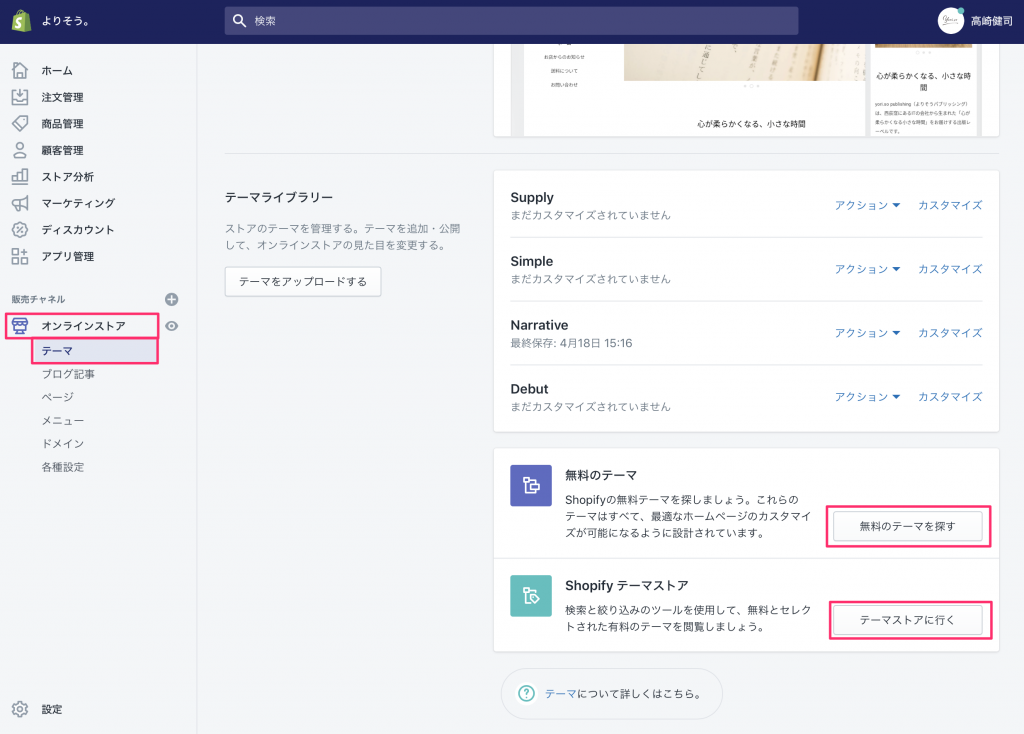
1On the left-hand menu "Online Store"> "Theme" screen, look for your favorite theme and add it to the theme library from "Find a free theme" or "Go to Theme store".
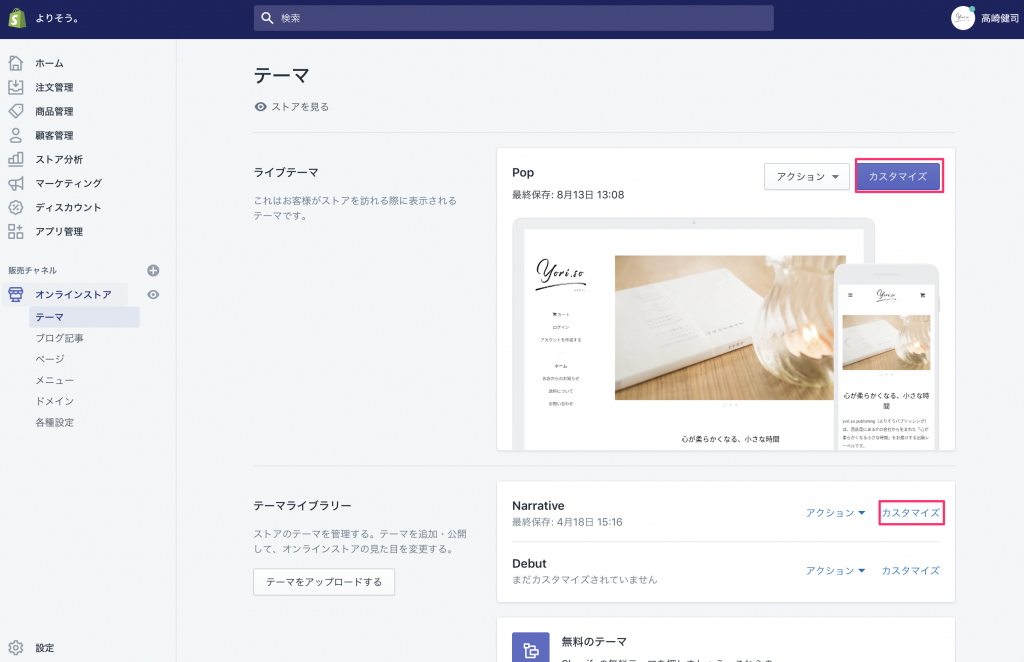
2) Press "Customize" on the theme to customize and enter the editing screen.
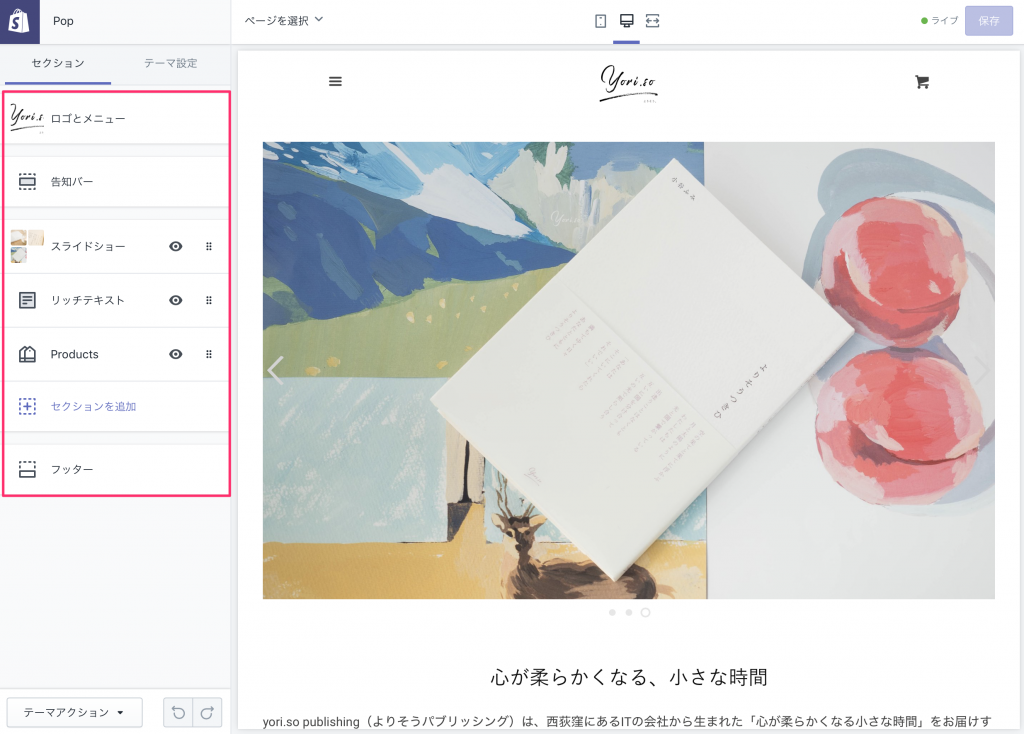
3. Customize while watching the preview on an edit screen.
(Recommended) Adjustment around Japanese text
If you want to customize without editing the code, we recommend adjusting font and character size in CSS if possible.
Basically, if you apply Japanese to an English-speaking service, in Japanese:
the letters are too big.
• Line spacing is too tight
If you adjust them, it will be a beautiful and easy to see site.
How to Customize CSS
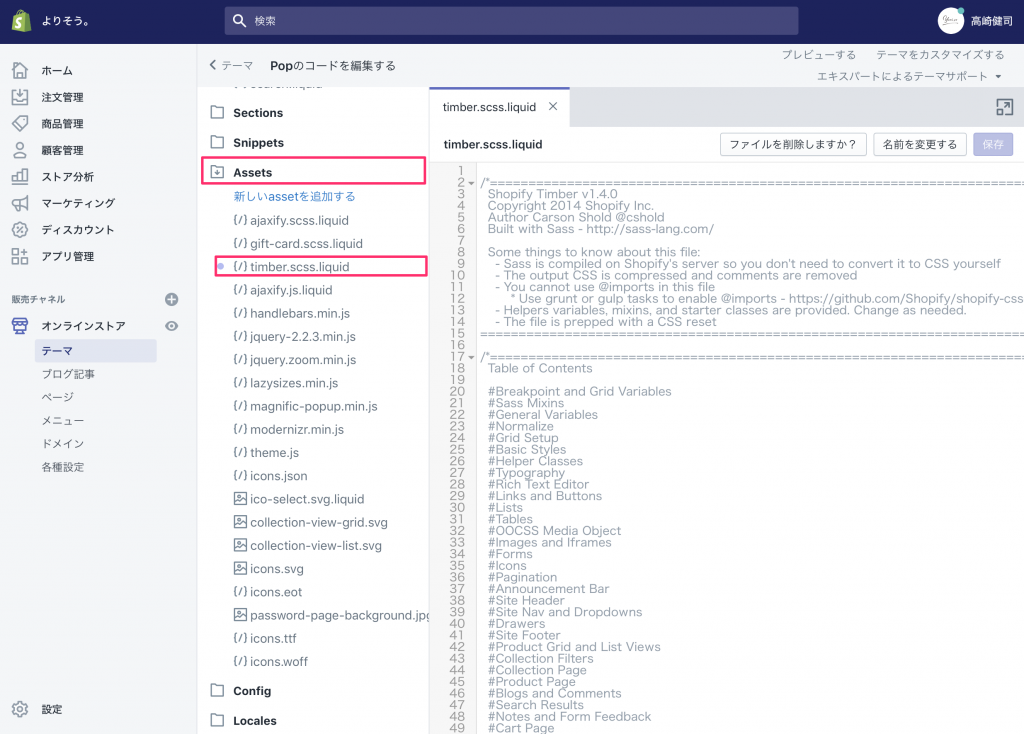
1 Press Edit Code from Theme Action on the bottom left
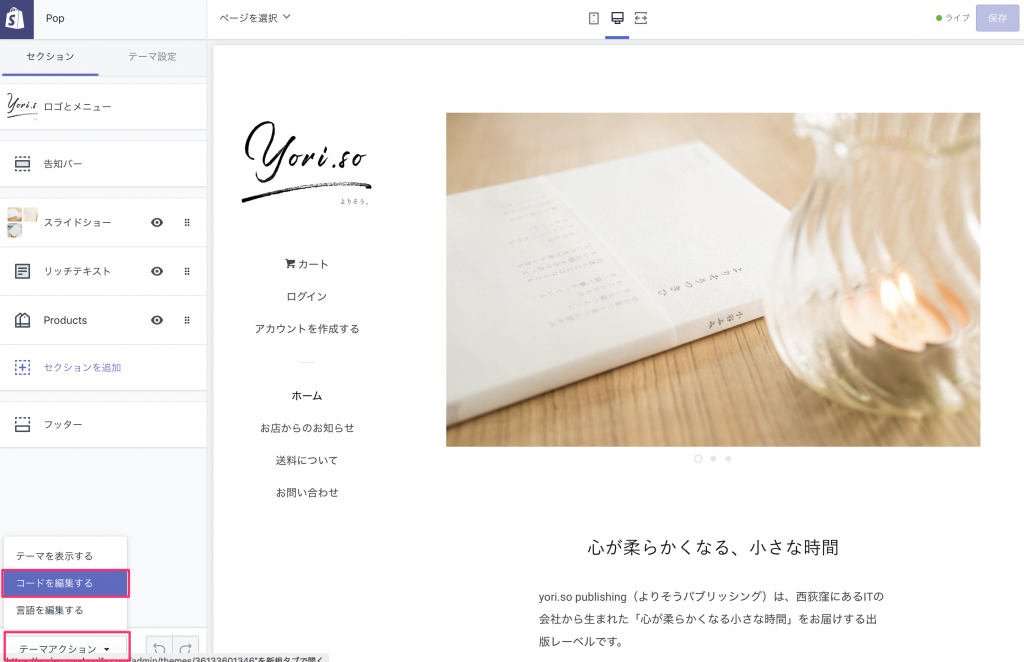
2Describe CSS in the SCSS file "~.liquid" under the Assets directory.
Customize your design (when editing code)
If you want to customize your design more freely, we will edit the theme code.
Keys to Keep in mind when Editing Code
Since you can search for elements across all files, such as class names, it is convenient to use.
When adjusting CSS, there is a feature that allows you to search across the elements applied.
Write a two-byte character (Japanese) in an SCSS file and you get an error.
In the specification at the time of investigation, it was not possible to write a 2-byte character in Sass (CSS) file.
Therefore, it is necessary to specify the Japanese font name as one byte character.
Efficient to see the theme applied on shopify for design confirmation
To create a theme based on the still image design camp, it takes a lot of effort to develop the theme from scratch; if you want to make it with full original design, that method is it, but for minimalism start, we recommend customizing based on your favorite theme.
In this case, it makes sense to apply the theme on Shopify and get a design confirmation with some content in it.
Summary
Shopify has a good UI for the management screen, and it is designed to add features that you need as an add-on to combine blocks.It's a simple but extensible platform.
I have used various domestic and foreign platforms and ASPs so far, but the best recommendation now is Shopify.I hope that you will consider it as a candidate when building an EC site.
In the non-standard world, we are building an EC site using Shopify and not only customize design but also develop add-ons freely. Contact us please.