We attended CSS Nite LP62's special “Web Accessibility School” class

Hi. I'm the engineer Kawashima.
On June 1st, CSS Nite LP62 School of Web Accessibility Special Class I participated in the event.
It was a very meaningful time and we were able to learn a lot, so I would like to share it with you:)
Contents [ hidden display ]
What is accessibility in the first place?
You may have heard the word “accessibility” for the first time.
In general, it is a term for "easy to get close and easy to use," but in the field of Web and IT especially make it easier for more users to access information on the web, regardless of usage or device It represents.
For example, how do you browse a web page when your hand is injured and you can’t use the mouse—the glasses are broken—and it doesn’t have any radio waves or images or videos to read?If that’s disaster information or live information from an artist I really like.
If accessibility is ensured, the web can convey information even in situations like this above.
Now that many people are using the web, the consideration of accessibility is becoming more and more important.
If you want to learn more, please refer to the following site:)
What is Web Accessibility?
Web Accessibility Foundation Committee
Session on the day and the state of the venue
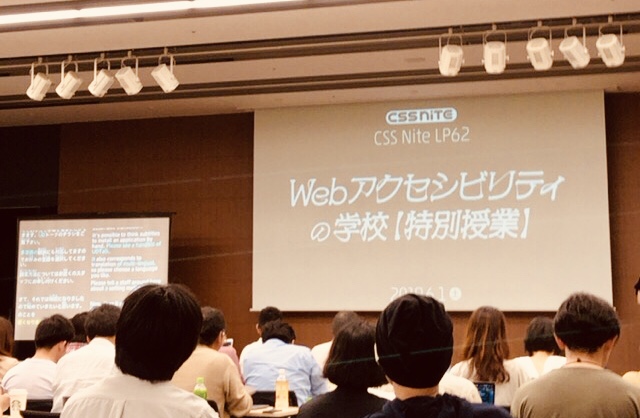
At the session venue on that day, real-time subtitles were displayed and sign language interpreters were also present.
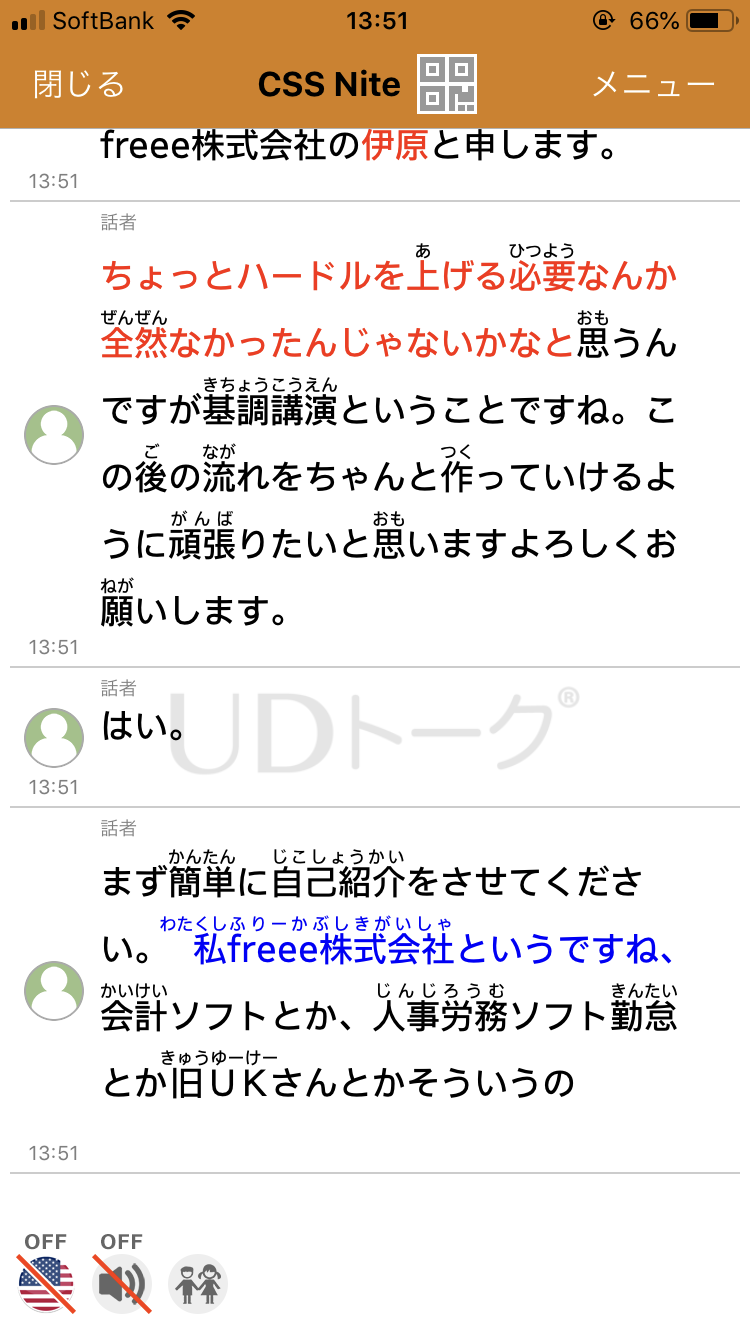
And one of the most impressive things was, UD talk It is a real-time subtitle display using an app called "" .
With speech recognition, the speaker’s words are displayed as they were, but by manually correcting only parts that did not recognize the voice well and errors on subtitles, we ensured the quality of the subtitle.
Once you’ve installed the app and loaded your invite code, you can see subtitles in real time on your phone—not only for these sessions but also for transcribing interviews.
Below is the actual subtitle capture:The subtitle part corrected by our staff has been changed in color.
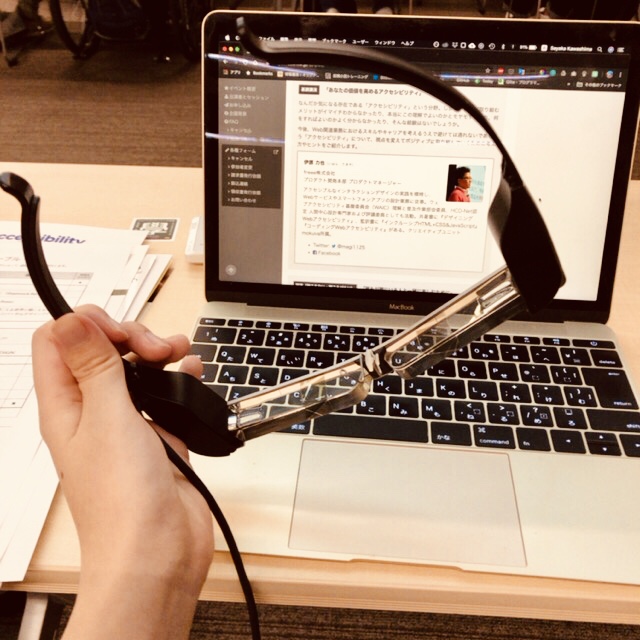
In addition, it is also possible to project subtitles using a glasses-shaped display, and the actual object was turned among participants.
I actually hung it on (it was originally a pair of glasses, so this would be an on-glass. )It's pretty easy to see and the technology is evolving every day.
The contents of the session on that day were as follows.
- Keynote: Rikiya Ihara
"Web Accessibility Increases Your Value"
- Hearing: Mr. Kazubayashi Matsumori
for everyone to enjoy with the people next door.
- visual (invisible): Katsu-san, Ueki Makoto
Go's Accessible GO!: Using Backlog as a Screen Reader
- Excerpt: Mr. Hiroshi Sawada
"How to use an alternative text decision tree."
- Examples: Kobayashi Daisuke, Kuwata Yuya
An Organizational Approach and Visual Design of Cybouz
- Closing Talk: Kazuhito Kidatsu
beyond inclusiveness
It is the contents of a thriving about 5 hours!
"I'm worried about this session..." Twitter #cssnite hashtag oh, yeah. Tweets by participants on the day I think you can get a glimpse of the atmosphere if you follow it:)
what i was happy about and learned from
materials were distributed to promote web accessibility
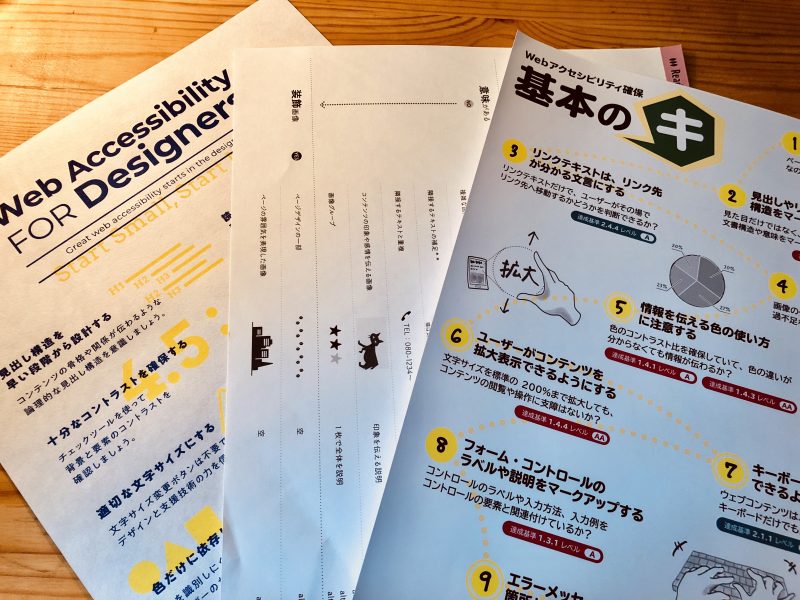
There are various guidelines for web accessibility, but if you try to protect JIS X 8341-3 (and WCAG 2.0 which is a reference source of JIS) completely from the beginning, it will be frustrated (in a closing talk by Mr. Kidatsu), so the content is small.
If you don’t have to do that, I think it is important not to do so but to work on it little by little and continue.
At the venue, reference materials including a graphic of “Let’s start from now on” were distributed.
In addition to the basics of accessibility, if you have materials that combine knowledge such as an alternative text decision tree for images in hand, it is easy to share them with other parties and they are very encouraging.
Incidentally For the materials for "Ensuring Web Accessibility, Basic Ki", click here. But it's open to the public.
I was able to see how people with visual and hearing impairment were using the Web
I also wanted to hear about how people with hearing impairments are accepting video content, and how those who have visual impairment use the Web.
At the venue, Mr. Aoki, a UD talk developer, told me that “experience and imagination are important for accessibility,” and once I touched on how to use the web that was not possible by myself, I began to think about people who can make sites this way easier to use/enjoy.
if you subtitle it, there are people who can enjoy the video together
Some people will be able to use the tool together if they do the right markup.
Conversely, I want to remember that in my day-to-day work there are people who can be troubled if they don't like these.
Screen reader demonstrations, accessibility improvements and more
As a web implementation person, I’m also very happy to share this kind of practical knowledge.
Backlog, a web service that’s been using it on screen readers before accessibility was improved, is showing off something like...
- can't figure out how to open and close menu navigation
- A button is recognized as a link and cannot be found
- The standard parts of the form are hidden in CSS for layout adjustment and cannot be found
- not know what the input field is linked to
They were all examples of things that tend to happen during implementation (especially when the delivery time is short!), and they sweated coldly.
Even on a website that looks fine, the machine can’t recognize information well unless the code behind it is properly marked up.
From day to day, I felt that it was necessary to have a habit or mechanism for coding with accessibility in mind according to the specifications of HTML.
what one wants to do in the future
At present, we are gradually beginning to work on accessibility even in our business.
It is difficult to create a site that complies with the Japanese standard JIS X 8341-3 Level A right now, but I would like to do my best so that it can be incorporated into website production as "common" from the "Basic Ki" materials.
Since keyboard operation and form markup are not easy to do, I would like to create implementation guidelines for internal use.
It was a very meaningful study session, thank you to all the speakers and staff!