
Shopify's new metafields explained: Differences, migration and coexistence with existing metafields

Hello, I'm engineer Kawashima.
recent Shopify UNITE at 6/30 Did you see it?
I was shocked and happy to see a lot of updates that almost all the technical articles I’ve written about were in the past.
What I've been looking forward to (as much as Sections Everywhere) is the Shopify pure metafield feature.
Until now, it was essential to introduce external apps in order to use metafields.Now anyone can use Shopfy as a genuine feature.
I think the use of genuine metafields will become a standard in Shopify stores that are being created in the future.
So, in this article we will share the results of a survey to see what changes with new metafield releases, primarily for those who used existing metafield apps.
Since it is urgent content, I am very happy if you can let me know on Twitter if you find an error!
* As appropriate, we will correct it with additional notes.
Contents [ hidden display ]
From the conclusion: if you are using an existing meta-field, points to be suppressed
This time, let's get to the conclusion by speed priority.
The following are the points if you have already used metafield function by external app.
* Afterwards, for convenience, the metafield by app is described as "existing metafield" and the newly added Shopify metafield function is described as "pure metafield".
- Existing and genuine metafields can coexist. Depending on the type of existing metafield, migration is basically easy
- You can use existing metafields as they are without moving to a genuine metafield, but you cannot leverage them as dynamic resources on new themes such as Dawn.
- Depending on the configuration of an existing meta-field, some content types in a genuine meta-field may not be acceptable during migration.
- Benefits of Migrating to a Genuine Metafield: Shopify Admin screen completes the input, simplifying production flow and making it available as dynamic resources from the theme editor
- Disadvantage: All of the existing meta-field configurations can’t be migrated, requiring input from both Shopify management screen and traditional apps (not taking advantage of unified operational flow)
Migrating an Existing Metafield to a Genuine Metafield
For more information, please refer to the official documentation. Migrating Metafields to Definition It is also explained in the article, "I tried it and found out what I saw below.
When you access Shopify's Metafield settings screen, a list of existing meta fields is displayed in the "Undefined MetaField" tab.
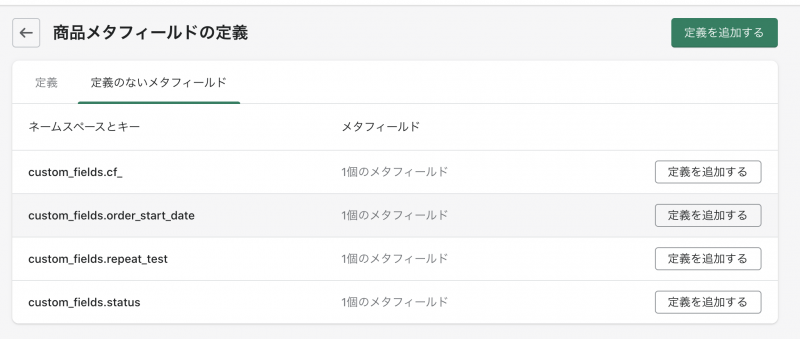
to use these as genuine metafields. definition of metafield It needs to be.
Metafield definitions work with templates that specify which configuration parts of the store to apply metafields and what values can be entered into them. Before adding any value for a particular product, order or store, you need to add a metafield definition about that information before adding it. Adding a metafield definition applies the same validation rule to all values that are entered in a specific metafield Official Documentation: Store. definition of metafield
For more information, please refer to the official documentation.
To migrate an existing metafield, you need to create a custom definition for each field.
Add existing metafields as custom definition
Namespaces and keys are automatically retrieved.
Set a custom definition name and select the content type to create it.
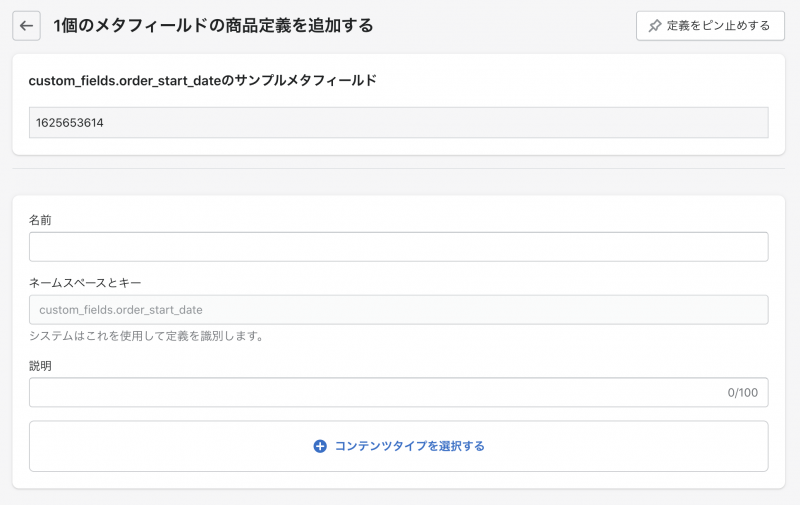
If the existing metafield values and content types within a custom definition are an appropriate combination, then this is all.
However, if you are using a complex type such as date, image or repeat field in an existing meta-field, it is determined that the value is not appropriate and will fail to create custom definitions.
(It seems that this area is largely dependent on the app-side metafield structure.)
in our company, mainly Bonify's Custom Field App I could not move to custom definitions as follows.
- Date field -> transition to content type "date" (because it is a timestamp provided by the app; content type "date" must be ISO8601's date)
- Image field → transition to content type "file" (since the app provides Img tags or image URLs)
- Checkbox field → move to "true or false" content type (because the app provides a value of 0/1, not true/false)
- Repeat Field -> No Content Type Can Accept Values
Also, HTML fields can be accepted with the content type "multi-line text", but may not output properly depending on the description of Liquid side.
* Theme editor for Dawn themesWhen we tried it with dynamic resources, the HTML tags were output as a language: if you write them directly into Liquid in {{ product.metafields.namespace.key }} format, they will be exported without any problems as HTML
Metafields that are inappropriate and fail to define cannot be used as-is; they need to either modify a value or delete the definition.
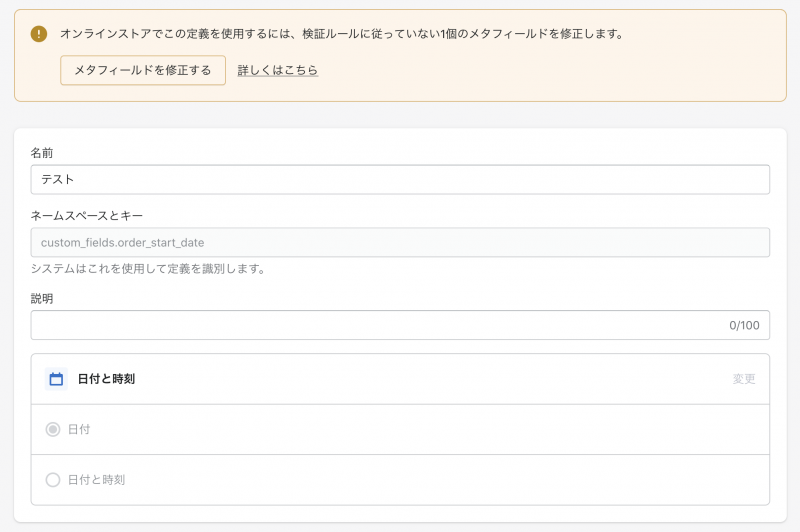
When deleting a failed definition, be careful to "remove only the definition".
If you select "Delete Definition and All Metafield Values", it is assumed that the value of the metafield held by existing metafield app will disappear.
Use custom-defined genuine metafields as dynamic resources with Dawn themes
This is still under investigation, so I will describe to where I know now.
Standard metafield definition page for official documents This guides you to “Standard Metafield Definition, we can support it across Shopify. Basically I recommend a Standard Definition”.
As of July 9th, 2021, there are only five standard definitions available: Subtitle, Support Guide, ISBN, UPC Code and EAN Code.
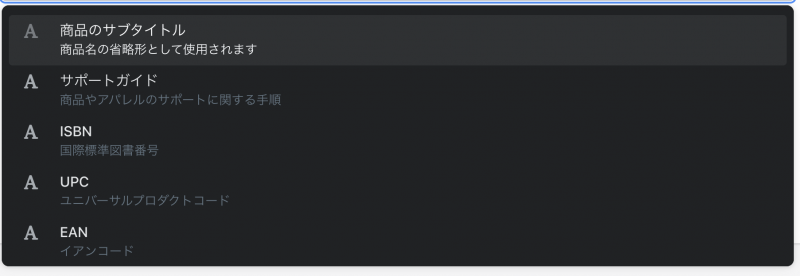
All you need to do is “Content Type: Single Line Text or Multiple Line Text”.
If you want to use other content types, it seems like you can create a custom definition (really...?
Even with custom definitions, it can be accessed as a dynamic resource in the Dawn theme without any problems.
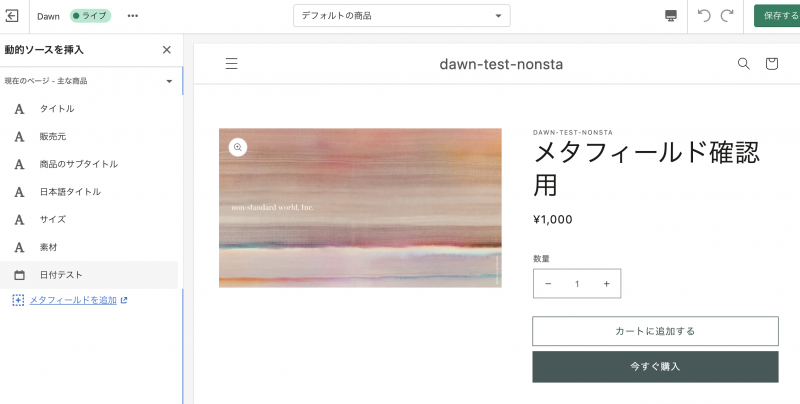
(Content Type: Single-line Text or Multiple-line Text)
Using Existing Metafields in a Dawn Theme
Undefined existing metafields are not available as dynamic resources for Dawn themes.
however, directly on the Liquid side metafield object The output is possible if you write it as ".
Can Pure Metafields be Used for Existing Themes?
As soon as we know, I'll add it too:I think you need to update your existing themes Liquid and json structures Dawn-compliant in order to leverage the metafield object as a dynamic resource.
instead
About a week after the metafield release was announced at Shopify UNITE.
This is a pure metafield that was initially only available for new Shopify stores, but as of July 9th it has been gradually freed up to existing Shopify stores:)
I hope this article will help you in touching on new metafield features.
It would be nice to have collections, customers and order meta fields that are currently being prepared for use soon!