CodeKit: How to use it and recommended settings for efficient website development

It's a tool that can speed up web production Introduction i did. CodeKit。
But if you’ve ever tried installing it, you probably don’t know how to set up or use it.
So, let's write down the usage and recommended settings of CodeKit.
Contents [ hidden display ]
What You Can Do With CodeKit
First, let’s see what CodeKit can do.
- Compiling CSS Meta Languages (Sass, LESS and Stylus)
- JavaScript Compiling Meta Languages (CoffeeScript)
- Compile HTML Markup Languages (Jade, Haml, Slim and Kit Language)
- JavaScript Minify, join and grammatical check.
- browser auto-reload
- image weight reduction
- Use of the framework
- Team Project Sharing
What should I do first after installing?
project addition
Once you’ve installed CodeKit, add the project first.
You just drag and drop the project folder to CodeKit screen, and if you drag it on a CodeKit screen, it will be shown below so you can drop it into an area of red frame.
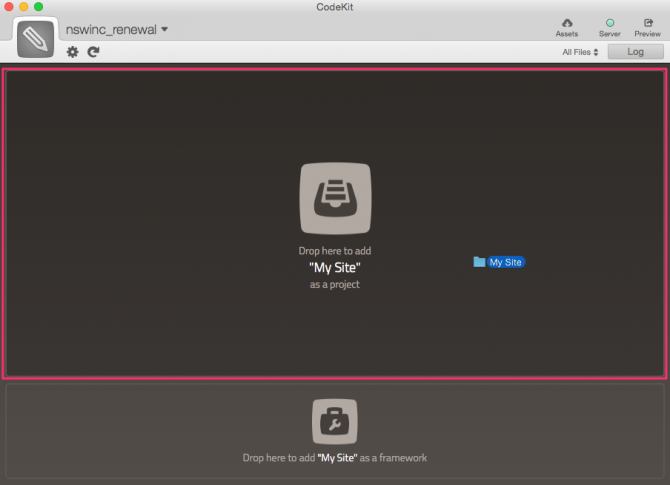
The registered project can be monitored (watch) by CodeKit and automatically compile if changes are made, or manually perform tasks such as minification.
recommended way to utilize
CodeKit is multi-functional, but it's convenient to use Sass/Compass.
When using this feature, let's install Compass.
Using Compass
Install Compass in the following steps:
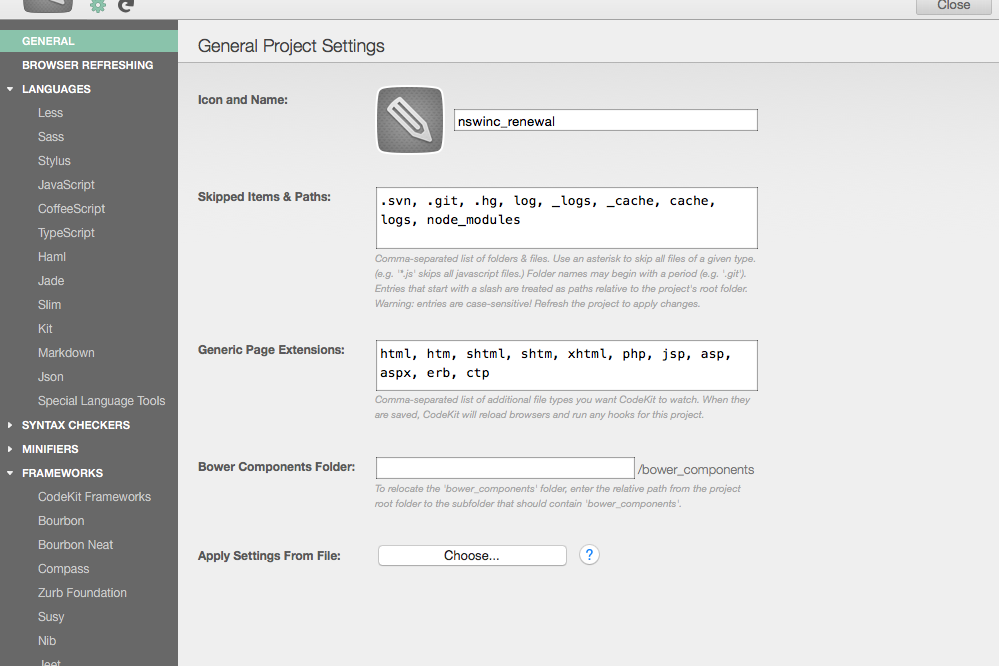
1) Click on the upper gear icon to view a project setting screen
2) From the left column, click FRAMEWORKS → Compass.
3) Select Expeded in [CSS Output Style] (optional)
4) Click [Install Compass] at the bottom.
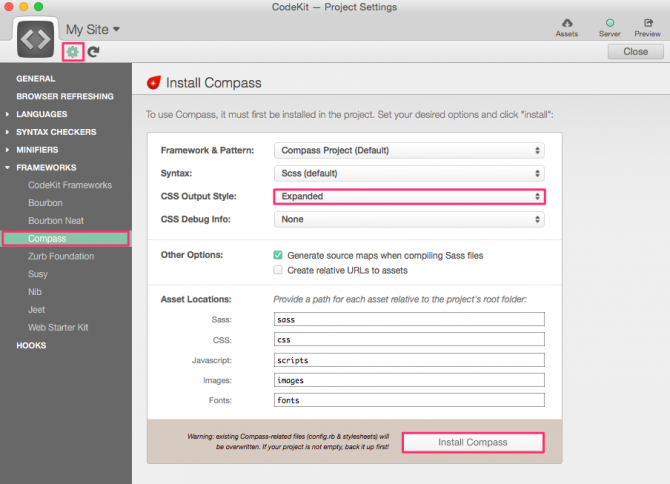
That's what makes Compass available.
When an error occurs and Sass cannot compile
Normally, you just need to save the Sass file in your project and it will be compiled automatically but sometimes an error is displayed with "Compiling fail.
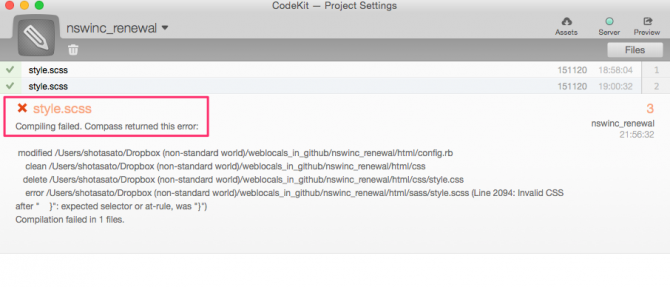 If this error occurs, it is often due to the fact that CSS and Sass storage settings are different.
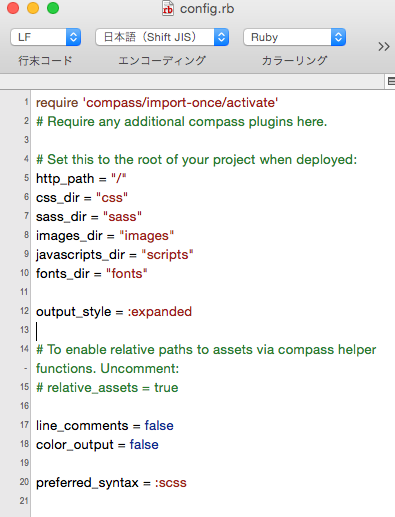
Therefore, it is often solved by opening a configuration file called "config.rb" generated in the project folder at the time of project registration with a text editor, checking that css_dir and sass_dir path are different from actual CSS and Sass location, and changing to the correct one if there was a difference.
This is how CodeKit was configured, with a focus on using Sass/Compass.
In addition, CodeKit also adds image-lightening features to PNG for this. ImageOptim and JPEG is JPEGmini Since the compression rate is higher, we use that.
I would appreciate it if you could refer to it.
→ CodeKit